Understanding Cloud Server Computing in Today’s Digital World
Cloud server computing is the delivery of computing services—including servers, storage, databases, networking, software, and analytics—over the internet (“the cloud”). Instead of maintaining physical hardware in your office, you access virtualized computing resources on-demand from remote data centers.
Quick Overview:
- What it is: Virtualized servers hosted remotely and accessed via the internet
- How it works: Uses virtualization software (hypervisors) to create multiple virtual machines from physical servers
- Key benefits: Scalability, cost savings (pay-as-you-go), improved mobility, and no hardware maintenance
- Service models: IaaS (Infrastructure), PaaS (Platform), and SaaS (Software)
- Deployment options: Public, private, hybrid, or community cloud configurations
The shift from local servers to cloud computing represents a fundamental change in how businesses manage their IT infrastructure. As the International Organization for Standardization defines it, cloud computing is “a paradigm for enabling network access to a scalable and elastic pool of shareable physical or virtual resources with self-service provisioning and administration on-demand.”
For small to medium-sized businesses, this means you no longer need massive upfront capital investments in server hardware or dedicated IT staff to maintain physical infrastructure. The cloud enables you to scale resources up or down based on actual needs, paying only for what you use.
The benefits are compelling: faster deployment (services can launch in minutes rather than weeks), greater flexibility, and access to enterprise-grade technologies like machine learning and advanced analytics that were once available only to large corporations. However, the cloud also introduces new challenges—from understanding cost structures to navigating security considerations and avoiding vendor lock-in.
I’m Sara Szot, President of Alliance InfoSystems, where I’ve guided businesses through their digital transformation journeys for years. My experience leading IT teams has shown me that successful cloud server computing adoption requires understanding both the tremendous opportunities and the practical challenges businesses face during implementation.
What is a Cloud Server?
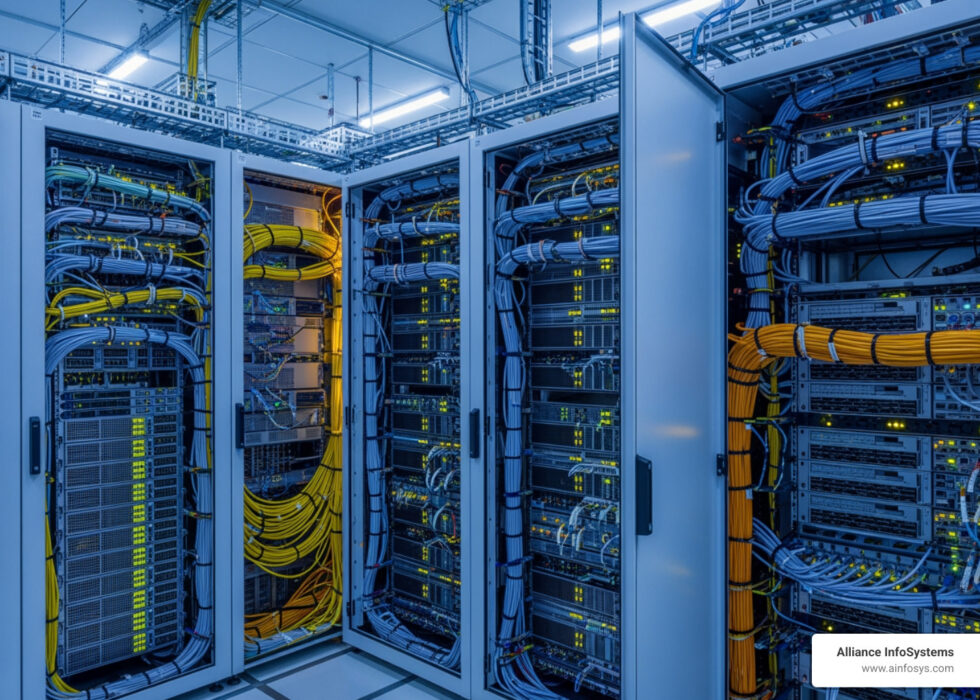
To understand a cloud server, it helps to start with what it isn’t. A traditional “bare-metal” server is a physical machine—a box with circuits, chips, memory, and a CPU sitting in a rack in your office or a data center. It takes up physical space, eats electricity, and requires someone to physically fix it if a fan dies.
In contrast, a cloud server (often called a virtual server or “instance”) is a software-based representation of that physical machine. It behaves exactly like a physical server to the user, but it lives on a pool of shared hardware managed by a provider.
The “magic” that makes this possible is virtualization. Using software called a hypervisor, a single, powerful physical server is divided into multiple virtual machines. Each of these virtual machines is completely isolated from the others, meaning one user’s heavy processing won’t crash your server.
| Feature | Traditional On-Premise Server | Cloud Server |
|---|---|---|
| Location | Physically on your premises | Remote data center |
| Access | Local Network (LAN) | Public/Private Internet |
| Scaling | Manual (Buy/Install new RAM/CPU) | Instant (Adjust via dashboard) |
| Payment | Upfront Capital (CapEx) | Monthly Subscription (OpEx) |
| Maintenance | Your responsibility | Provider’s responsibility |
While physical servers offer high customization and direct control, they lack the agility required for modern business. If you want to learn more about the specific trade-offs, check out our guide on cloud vs local servers.
The Fundamentals of Cloud Server Computing
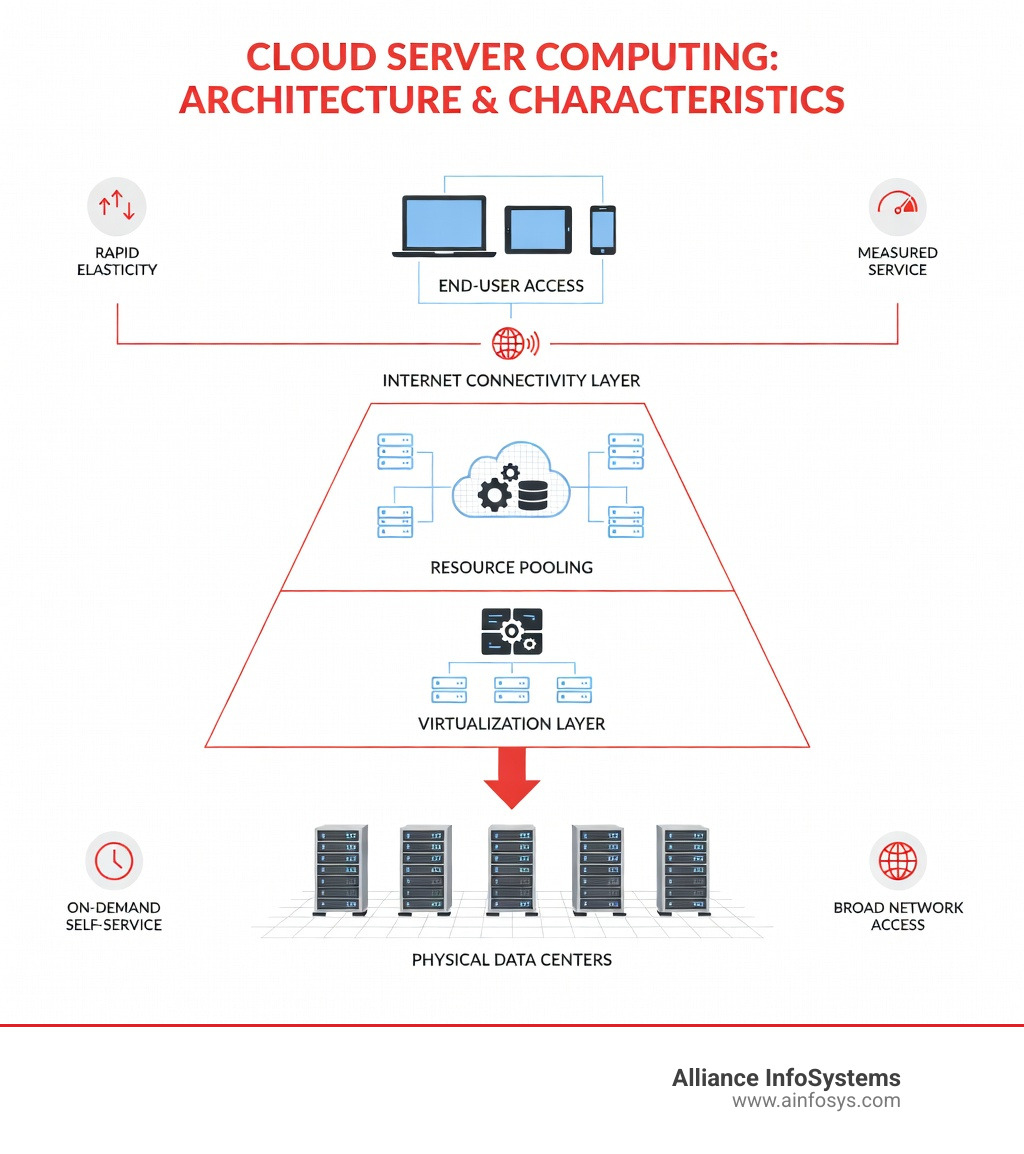
The NIST (National Institute of Standards and Technology) provides the gold standard for defining cloud systems. According to their model, cloud server computing isn’t just “someone else’s computer”; it must possess five essential characteristics to be considered true cloud:
- On-demand self-service: You can provision computing power (like server time or network storage) automatically without needing to talk to a human service provider.
- Broad network access: Services are available over the network and accessed through standard mechanisms (mobile phones, tablets, laptops, and workstations).
- Resource pooling: The provider’s computing resources are pooled to serve multiple consumers (multi-tenancy), with different physical and virtual resources dynamically assigned.
- Rapid elasticity: Resources can be elastically provisioned and released—sometimes automatically—to scale rapidly outward and inward with demand.
- Measured service: Cloud systems automatically control and optimize resource use by leveraging a metering capability. You only pay for what you use.
How Cloud Server Computing Works
The lifecycle of a cloud server begins with provisioning. Instead of waiting for a delivery truck, you use an Application Programming Interface (API) or a web console to request a server with specific attributes: a certain number of CPUs, a set amount of RAM, and specific storage capacity.
Once the request is made, the cloud platform’s automated systems find space on the underlying physical hardware and instantiate a virtual machine. This process includes the automated configuration of the network and the installation of a Linux-based OS (or Windows, depending on your choice). Because this is software-defined, you can go from “idea” to “live server” in minutes. For a deeper dive into the mechanics, read our in-depth look at how cloud computing works.
The Role of Virtualization in the Cloud
Virtualization is the foundation upon which all cloud computing is built. By creating a “software-defined” version of hardware, virtualization allows for:
- Hardware Abstraction: The software (your server) doesn’t care what brand of physical CPU is running underneath.
- Efficiency: Most physical servers sit idle 80% of the time. Virtualization allows multiple servers to share that hardware, maximizing the return on investment.
- Isolation: Even though you share hardware, your data and applications remain strictly separated from other users.
As we move toward 2025, virtualization technology is evolving to include containers and microservices, which allow even more granular control. Explore these advancements in our cloud virtualization guide 2025.
Cloud Service and Deployment Models
Not all clouds are the same. Depending on your business needs, you might interact with different service layers or deploy your servers in different environments.
Understanding IaaS, PaaS, and SaaS
These three models represent the “stack” of cloud services, each offering a different level of control and responsibility:
- IaaS (Infrastructure as a Service): This is the rawest form of cloud server computing. You rent the virtual servers and networking. You are responsible for the OS, the apps, and the data. It offers the most control.
- PaaS (Platform as a Service): This provides a framework for developers to build and deploy applications without worrying about the underlying servers. The provider manages the OS and middleware.
- SaaS (Software as a Service): This is the most common model for end-users (think Microsoft 365 or Google Workspace). The provider manages everything; you just use the software via a subscription.
Understanding the shared responsibility model is crucial here: while the provider secures the “cloud,” you are usually responsible for securing what you put “in” the cloud.
Public, Private, and Hybrid Deployments
Where your server “lives” matters for security and compliance:
- Public Cloud: Services are delivered over the public internet and shared across organizations. It’s highly cost-effective and scalable.
- Private Cloud: The infrastructure is dedicated to a single organization. It can be hosted on-site or by a third party, offering maximum control and data sovereignty.
- Hybrid Cloud: This combines public and private clouds, allowing data and applications to move between them. This is ideal for “cloud bursting,” where a private cloud handles normal loads but spills over into the public cloud during peak traffic.
- Community Cloud: Shared by organizations with common concerns (e.g., schools or government agencies in Maryland).
Many businesses now opt for hybrid cloud servers to balance the need for security with the desire for low costs. When dealing with highly sensitive information, it is essential to follow guidance on sensitive data in the cloud to ensure compliance with local regulations.
Key Benefits and Strategic Advantages

Why are so many businesses in Maryland and beyond making the switch? The strategic advantages go far beyond just “saving money on hardware.”
- Scalability and Elasticity: If your website gets a sudden surge of traffic, a cloud server can scale up instantly. When the traffic dies down, it scales back. You aren’t paying for “peak capacity” that you only use once a year.
- Cost-Efficiency (The OpEx Model): Cloud computing shifts IT costs from Capital Expenditure (buying hardware) to Operational Expenditure (monthly bills). This preserves cash flow for growing your business.
- Reliability and Availability: Top-tier cloud providers offer 99.999% availability. Because your server is virtual, if the underlying physical hardware fails, the cloud platform simply moves your server to a healthy machine with zero or minimal downtime.
- Faster Time-to-Market: You can spin up a development environment in minutes, allowing your team to experiment and deploy new features faster than ever.
For more insights, we’ve detailed 5 cloud server computing advantages you haven’t considered, including how it boosts remote collaboration.
Navigating Challenges and Risks
While the cloud is powerful, it isn’t without its pitfalls. We believe in being transparent about the risks so you can plan accordingly.
- Cost Management: It is surprisingly easy to leave a high-powered server running and forget about it. A survey of 200 IT leaders found that 69% experienced budget overruns in 2023. On average, public cloud expenditures exceeded budgets by 15%.
- Vendor Lock-in: If you build your entire infrastructure using one provider’s proprietary tools, moving to another provider later can be incredibly difficult and expensive.
- Downtime: While rare, “the cloud” can go down. If your provider has an outage, you have very little control over when you’ll be back online.
- Data Migration: Moving large amounts of data to the cloud is often more complex than expected. Check out our guide on common challenges in cloud data migration to avoid the most frequent mistakes.
Security and Compliance in the Cloud
Security remains the top concern for IT leaders. The top three threats in the cloud today are:
- Insecure Interfaces and APIs (29% of outages)
- Data Loss & Leakage (25% of outages)
- Hardware Failure (10% of outages)
Furthermore, legal complexities like the CLOUD Act and GDPR mean you must be careful about where your data is stored geographically. For organizations in Maryland, ensuring your provider adheres to strict identity management and encryption standards is non-negotiable. Our cloud migration guide covers these security essentials in detail.
Implementation and Selection
Choosing a cloud solution isn’t a one-size-fits-all decision. It requires a thorough workload assessment. You need to understand your application dependencies—which apps need to talk to each other and how much “lag” (latency) they can tolerate.
Before migrating, you should perform performance benchmarks to ensure the cloud instance you choose can handle your specific software. Not sure where to start? We have a guide to help you decide which cloud server is right for your app.
Choosing the Right Cloud Server Computing Solution
When selecting a provider, consider these four pillars:
- Budget Forecasting: Don’t just look at the starting price; look at the cost of data transfer and storage over time.
- Trustworthiness: Does the provider have a proven track record of uptime and responsive support?
- Technology Requirements: Do you need specific GPUs for AI or high-memory instances for large databases?
- Scalability: How easily can you grow?
For many businesses, there is a distinct advantage to choosing a local cloud server provider. Having a partner in the same time zone who understands the local business landscape can make the migration process much smoother.
Frequently Asked Questions about Cloud Servers
What is the difference between a cloud server and a traditional server?
A traditional server is physical hardware you own and maintain. A cloud server is a virtualized “slice” of a provider’s hardware that you rent. The cloud version is much more flexible and scalable but relies on an internet connection for access.
Are cloud servers more secure than on-premise hardware?
Often, yes. Major cloud providers invest billions in security that small businesses could never afford. However, the “shared responsibility” model means you are still responsible for securing your own passwords, data encryption, and user permissions.
How do I manage cloud server cost overruns?
The key to staying within budget is proactive monitoring and accurate forecasting. Successful organizations use “FinOps” strategies—setting up alerts for when spending hits a certain threshold and regularly deleting “zombie” resources that are no longer in use.
Conclusion
At Alliance InfoSystems, we’ve spent over 20 years helping Maryland-based businesses navigate the complexities of IT management and security. We know that cloud server computing is more than just a trend—it’s a strategic necessity for staying competitive in a digital economy.
Whether you are looking to migrate your first server to the cloud or want to optimize a complex hybrid environment, our team provides the flexible, customized, and cost-efficient services you need to succeed.
Ready to take the next step? Explore our cloud and virtualization services today and let us help you build a more resilient, scalable future for your business.