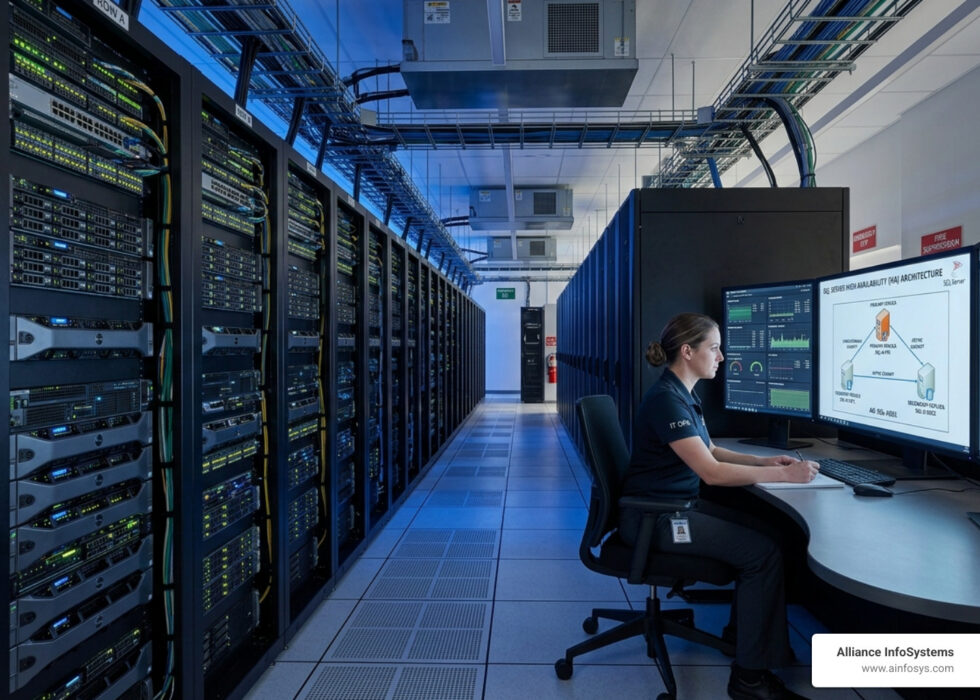
Why SQL Server High Availability Architecture Is Critical for Business Continuity
SQL Server high availability architecture refers to the set of technologies and design strategies that keep your databases online and accessible, even when hardware fails, software crashes, or maintenance windows hit.
Here is a quick overview of the main HA options in SQL Server:
| Solution | Best For | Failover Type | Shared Storage Required |
|---|---|---|---|
| Always On Availability Groups | Enterprise HA and DR | Automatic or Manual | No |
| Failover Cluster Instances (FCI) | Instance-level protection | Automatic | Yes |
| Log Shipping | Warm standby / low-cost DR | Manual | No |
| Database Mirroring | Legacy only (deprecated) | Automatic (with witness) | No |
| Transactional Replication | Data distribution / DR | Manual | No |
For most businesses running SQL Server today, Always On Availability Groups is the recommended starting point. It supports up to nine replicas total (one primary and up to eight secondary), does not require shared storage, and can deliver near-zero recovery times with synchronous commit mode.
Downtime is expensive. For businesses running on SQL Server, even a few minutes of database unavailability can mean lost transactions, broken workflows, and frustrated customers. In sectors like healthcare, finance, or emergency services, it can mean something far worse.
The goal of high availability is simple: eliminate single points of failure so your data stays accessible no matter what goes wrong. But the path to getting there involves real architectural decisions with real trade-offs in cost, complexity, and performance.
Two concepts shape every HA conversation: Recovery Time Objective (RTO), which is how fast you need to be back online after a failure, and Recovery Point Objective (RPO), which is how much data loss you can tolerate. A system targeting five-nines availability, which is 99.999% uptime, can only afford 5.26 minutes of downtime per year. Getting there requires more than just a good backup strategy.
SQL Server gives you several tools to build resilient systems, from the modern Always On Availability Groups introduced in SQL Server 2012, to simpler options like Log Shipping that can serve as a cost-effective warm standby. Understanding which architecture fits your environment, your budget, and your risk tolerance is the first step toward a database that simply does not go down.
This guide walks through every major SQL Server HA architecture so you can make that decision with confidence.
Core Components of SQL Server High Availability Architecture
To build a resilient house, you need a solid foundation. In sql server high availability architecture, that foundation is almost always Windows Server Failover Clustering (WSFC). Whether you are using Availability Groups or Failover Cluster Instances, WSFC is the “brain” that monitors health and moves services between servers when a problem occurs.
For a deeper dive into how these pieces fit together, we recommend reviewing the AlwaysOn Architecture Guide: Building a High Availability and Disaster Recovery Solution.
The Role of Windows Server Failover Clustering (WSFC)
Think of WSFC as a watchdog. It consists of independent servers (nodes) that work together to increase the availability of applications. The Cluster Service runs on each node, communicating via a “heartbeat”—a small network packet sent regularly to confirm every node is still alive.
If the primary node stops responding, the cluster triggers a failover based on your defined Failover Policy. This moves the SQL Server resource group to a healthy node. For technical specifics on this integration, you can explore Windows Server Failover Cluster with SQL Server – SQL Server Always On.
Understanding Quorum and Split-Brain Prevention
One of the biggest risks in a cluster is a “split-brain” scenario. This happens when the network breaks and both sides of the cluster think the other side is dead, potentially causing both to try and write to the same data at once.
Quorum is the voting mechanism used to prevent this. Each node usually gets one vote. To stay online, the cluster must have a “majority” of votes. If you have an even number of nodes, we always recommend adding a Witness. This can be a Disk Witness (a shared drive), a File Share Witness, or a Cloud Witness (using Azure storage).
Always On Availability Groups: The Enterprise Standard
Introduced in SQL Server 2012, Always On Availability Groups (AGs) are the gold standard for sql server high availability architecture. Unlike older methods, AGs fail over at the database level rather than the instance level. This means you can group specific databases together to fail over as a single unit.
For a high-level overview, see Microsoft’s guide on What is an Always On Availability Group?.
Scaling with Always On SQL Server High Availability Architecture
One of the coolest features of AGs is that your secondary replicas don’t have to just sit there doing nothing. You can use “Active Secondaries” for:
- Read-Only Routing: Offload heavy reporting workloads to a secondary replica so they don’t slow down your primary transactional database.
- Secondary Backups: Run your intensive backup jobs on a secondary replica to save I/O cycles on the primary. If you’re planning your 2026 strategy, don’t forget to check out sql server backup best practices 2025.
Failover Mechanisms and Client Connectivity
How does an application know which server is currently the “boss”? That’s where the Availability Group Listener comes in. It’s a Virtual Network Name (VNN) that acts as a single point of entry. When a failover occurs, the Listener automatically routes traffic to the new primary replica.
There are three types of failover:
- Automatic: No data loss, triggered by the cluster when health checks fail (requires synchronous-commit mode).
- Planned Manual: Used for maintenance (like patching) to switch roles without data loss.
- Forced Manual: Used in disaster recovery (DR) when the primary is gone and you must accept potential data loss. For more on DR strategies, see our guide on sql disaster recovery best practices.
Alternative Architectures for Redundancy and Recovery
While AGs are popular, they aren’t the only way to protect your data. Failover Cluster Instances (FCI) protect the entire SQL Server instance. If the hardware on Node A fails, the entire instance—including logins, jobs, and all databases—starts up on Node B.
The big difference? FCIs require shared storage (like a SAN or SMB share). This means if the storage dies, everything dies—a single point of failure we must plan for. You can find a complete breakdown of these choices in this review of SQL Server High Availability and Disaster Recovery Options. Also, HA is only half the battle; robust server backup best practices are still mandatory.
Log Shipping for Warm Standby Solutions
Log Shipping is the “old reliable” of SQL Server. It works by taking a transaction log backup on the primary, copying it to a secondary, and restoring it there. It’s simple, cost-effective, and works on almost every edition of SQL Server.
The downside? It’s not “instant.” The default interval is 15 minutes, meaning you could lose 15 minutes of data if the primary fails. However, for non-critical systems, it’s a great way to maintain a “warm standby.” For more tips, see our best server backup tips.
Transactional and Merge Replication
Replication isn’t strictly an HA solution because it doesn’t offer automatic failover, but it’s excellent for moving data between sites. You have a Publisher (the source), a Distributor, and a Subscriber (the target). It’s often used for distributed reporting or keeping a remote office updated. To ensure you’re protecting all your assets, read never lose a file the art of file server backup.
Optimizing Performance and Security in 2026
As we move through 2026, security is no longer an optional add-on for your sql server high availability architecture. With the release of SQL Server 2025 and the maturation of cloud-hybrid models, encryption and performance are more tightly linked than ever.

Security Enhancements for SQL Server High Availability Architecture
Modern SQL Server versions now support TDS 8.0 and TLS 1.3. This allows for strict encryption of all communications between replicas. In the past, encryption often came with a performance penalty, but modern hardware offloading makes this negligible. If you are moving some workloads to the cloud, the Azure SQL Database High Availability: Architecture, Design, and Built‑in Resilience guide explains how these security layers are built into the cloud fabric.
Achieving Five-Nines (99.999%) Availability
To reach the holy grail of “five-nines,” you need a multi-layered approach:
- Redundancy: No single point of failure in power, networking, or storage.
- Monitoring: Using tools to catch issues before they trigger a failover.
- Automated Testing: Regularly performing “fire drills” to ensure failovers actually work.
- Lifecycle Management: This is where strategic IT procurement comes in. Keeping your hardware and software within their support lifecycle ensures you have the latest security patches and performance fixes.
Frequently Asked Questions about SQL Server HA
What is the difference between HA and DR in SQL Server?
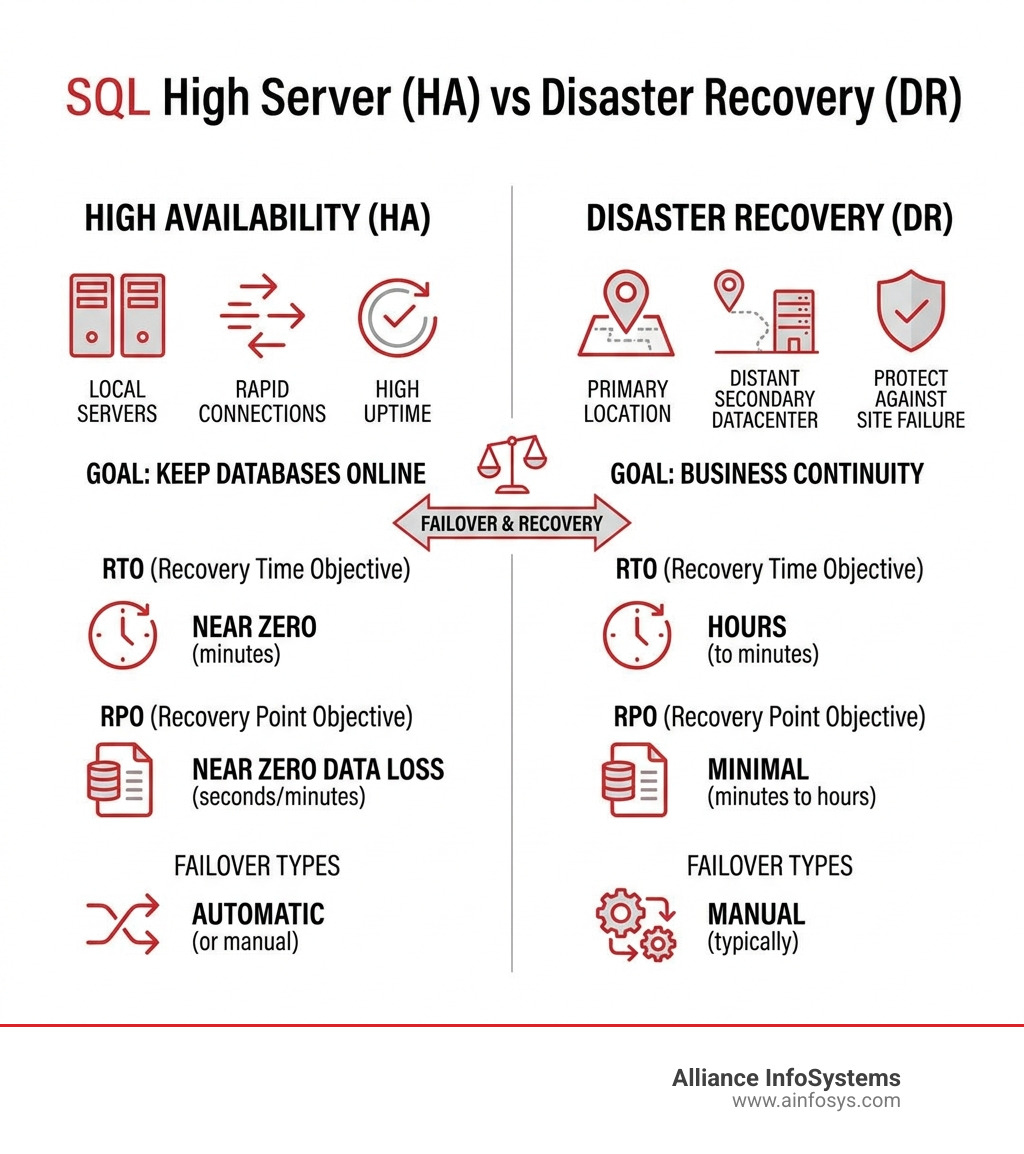
High Availability (HA) is about surviving local failures (like a server crashing) with minimal downtime. Disaster Recovery (DR) is about surviving a total site loss (like a flood or fire) and usually involves a manual failover to a different geographic region.
Does Always On Availability Groups require shared storage?
No! This is one of their biggest advantages over FCIs. Each replica has its own copy of the data on local storage, and SQL Server synchronizes them over the network.
How many secondary replicas can I have in SQL Server 2019 and later?
You can have up to eight secondary replicas, for a total of nine replicas in the group. As of SQL Server 2019, you can have up to five of those in synchronous-commit mode.
Conclusion
Building a robust sql server high availability architecture is one of the most important investments a business can make in its digital infrastructure. From the enterprise-grade power of Always On Availability Groups to the simplicity of Log Shipping, the right choice depends on your specific uptime needs and budget.
At Alliance InfoSystems, we specialize in more than just the technical setup. As experts in IT procurement and lifecycle management, we help Maryland-based businesses look at the big picture. We ensure your database architecture isn’t just fast today, but sustainable and secure for the next 20 years. Don’t leave your business continuity to chance—strategic value comes from planning for the “what ifs” before they happen.
Ready to bulletproof your data? Secure your database with our Data Backup & Recovery Services and let us help you design a system that never lets you down.