
Why the Benefits of Cloud Based Storage Matter for Your Business
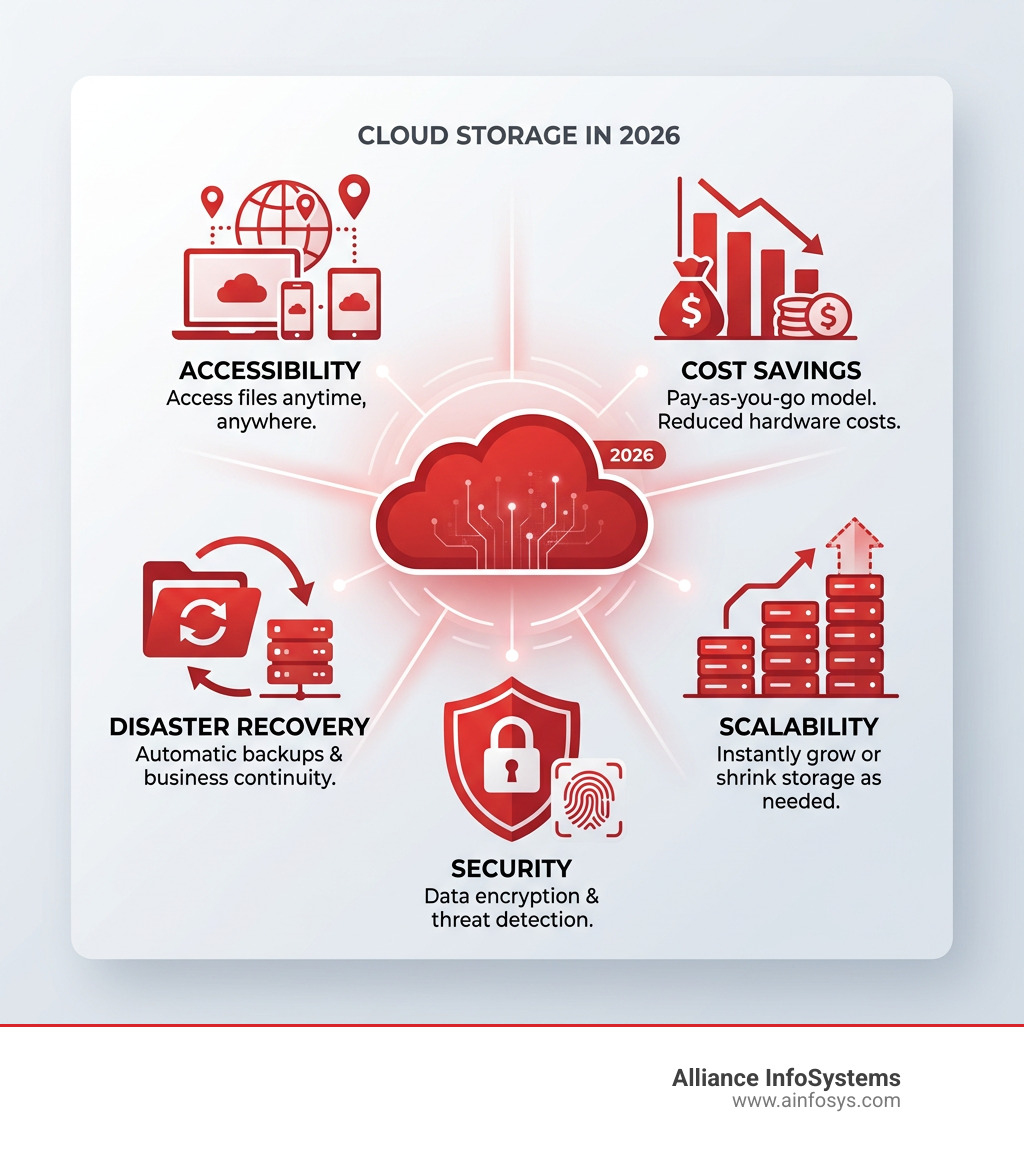
The benefits of cloud based storage are real, measurable, and relevant to businesses of every size — here is a quick summary:
| Benefit | What It Means for You |
|---|---|
| Accessibility | Access files from any device, anywhere, anytime |
| Cost savings | Cut IT costs by up to 30%; pay only for what you use |
| Scalability | Add storage instantly without buying new hardware |
| Security | Encryption, MFA, and AI-driven threat detection |
| Collaboration | Teams work on the same files in real time |
| Disaster recovery | Automatic backups across multiple data centers |
| Sustainability | Shared infrastructure reduces your energy footprint |
Over 60% of the world’s corporate data is now stored in the cloud. Remote work, digital transformation, and data growth are accelerating that shift every year. Yet many small and mid-sized businesses still aren’t sure whether cloud storage is right for them — or how to evaluate it honestly.
This guide breaks it all down clearly: what cloud storage is, what it actually delivers, where it falls short, and how to decide if it fits your needs.
What is Cloud Storage and How Does it Work?
At its simplest, cloud storage is a service model where data is transmitted and stored on remote storage systems, where it is maintained, managed, backed up, and made available to users over a network—typically the internet. Instead of saving a file to your computer’s hard drive or a local server in your office in Maryland, you send it to a provider’s data center.
Think of it as the difference between owning a massive, heavy safe in your basement (local storage) and renting a high-security safety deposit box in a world-class vault (cloud storage). You don’t have to worry about the vault’s structural integrity or hiring guards; you just use your key to access your items whenever you need them.
Infrastructure as a Service (IaaS)
Cloud storage is a foundational component of Infrastructure as a Service (IaaS). In this model, the provider handles all the “heavy lifting” of the physical hardware—the servers, the cooling systems, the electricity, and the physical security of the buildings. We simply consume the storage space as a utility, much like we do with electricity or water.
Remote Data Centers and Redundancy
When you upload a file, it doesn’t just sit on one lone hard drive. To ensure your data is always available, providers use data redundancy. This means your files are mirrored across multiple servers and often across different geographic data centers. If one server fails or a specific facility experiences an outage, your data is instantly served from another location. This level of Cloud Server Computing Work ensures that “the cloud” isn’t just someone else’s computer—it’s a resilient, distributed web of hardware designed for 99.99% uptime.
The Core Benefits of Cloud Based Storage for Modern Businesses
For businesses in the Mid-Atlantic region and beyond, the move to the cloud isn’t just a trend; it’s a strategic necessity. The digital landscape is moving too fast for the “buy, install, outgrow, repeat” cycle of traditional hardware.

Business Continuity and Operational Agility
One of the most significant benefits of cloud based storage is the ability to keep working no matter what happens at your physical office. Whether it’s a snowstorm in Baltimore or a localized power outage, your data remains safe and accessible. This agility allows businesses to pivot quickly, opening remote branches or supporting a hybrid workforce without needing to install complex local VPNs for every single file.
Resource Optimization
By moving to the cloud, you free up your internal IT team from the “drudge work” of hardware maintenance. Instead of spending hours swapping out failing drives or managing firmware updates on a rack of servers, your team can focus on high-value projects that actually grow your business. There are 4 Surprising Ways the Cloud Reduces Costs in Your Business, and most of them revolve around reclaiming time and human capital.
Cloud Storage vs. Local Storage: A Quick Look
| Feature | Cloud Storage | Local Storage (On-Premise) |
|---|---|---|
| Upfront Cost | Low (Subscription-based) | High (Hardware & Installation) |
| Maintenance | Managed by Provider | Managed by Your IT Staff |
| Scalability | Instant & Unlimited | Limited by Physical Space/Hardware |
| Physical Security | Enterprise-grade Data Centers | Limited to Office Security |
| Disaster Recovery | Built-in Redundancy | Requires Manual Off-site Backups |
Scalability as a Primary Benefit of Cloud Based Storage
In the old days, if you ran out of server space, you had to research a new server, get budget approval, wait for shipping, and then spend a weekend installing it. With the cloud, scalability is on-demand.
If your business takes on a massive new project that requires 10 terabytes of data overnight, you can get it with a few clicks. This “pay-as-you-go” model is a game-changer for financial planning. It shifts IT spending from capital expenditure (CapEx)—where you pay a huge chunk of money upfront for hardware that might sit half-empty—to operational expenditure (OpEx). You only pay for the gigabytes you are actually using this month.
Enhanced Security and Data Protection
There is a common Cloud Myth that the cloud is less secure because you can’t “see” the servers. In reality, major cloud providers invest billions in security—far more than any individual small business could ever afford.
- End-to-End Encryption: Your data is scrambled both while it’s traveling to the cloud and while it’s sitting on the server. Even if a hacker intercepted the data, they wouldn’t be able to read it without your unique key.
- Multi-Factor Authentication (MFA): This adds a vital layer of protection. Even if someone steals an employee’s password, they can’t access the data without a second form of ID, like a code sent to a physical device.
- AI-Driven Anomaly Detection: Modern cloud systems use artificial intelligence to monitor login patterns. If an account suddenly tries to download your entire database from an unrecognized IP address in a different country, the system can automatically flag or block the attempt.
- Microsoft and OneDrive Safeguards: Platforms like OneDrive safeguard your data using advanced versioning, meaning if you are hit by ransomware, you can often “roll back” your files to a version from before the attack occurred.
Improving Accessibility and Global Collaboration
The days of emailing “FinalV2DraftSaraComments.docx” back and forth are over. One of the most immediate benefits of cloud based storage is the death of versioning confusion.
Remote Access and Distributed Workforces
Whether your team is in Annapolis, Frederick, or working from a home office in Bethesda, they are all looking at the same “single source of truth.” As long as there is an internet connection, the office is wherever the employee is. This is the backbone of Cloud Hosting Services, providing a consistent experience across all devices.
Collaboration Benefits of Cloud Based Storage in 2025
As we move through 2025, collaboration has become even more sophisticated:
- Real-Time Co-Authoring: Multiple people can edit a spreadsheet or document simultaneously, seeing each other’s changes in real time.
- AI-Integrated Workflows: Cloud storage now integrates directly with AI tools that can summarize documents, transcribe meetings stored in the cloud, or even suggest file organization patterns.
- Performance Acceleration: For businesses dealing with massive files (like video production or 3D modeling), features like Anywhere Cache act as a performance booster, keeping frequently accessed data “close” to the user to reduce latency and speed up workflows.
Strategic Advantages: Disaster Recovery and Sustainability
Beyond daily convenience, cloud storage offers two major strategic advantages: it protects your future and it protects the planet.
Automated Disaster Recovery
If your office suffers a fire, flood, or a simple hardware crash, local backups might be destroyed along with the original data. Cloud storage provides an automatic off-site backup. In the event of a disaster, you don’t need to wait for new hardware; you simply log in from a new device and keep working. This is why many organizations are moving toward Hybrid Cloud Servers, keeping some data local for speed but mirroring everything to the cloud for safety.
Compliance and Regulations
For businesses in Maryland that handle sensitive information, such as credit card data, the cloud can simplify compliance. Following the Payment Card Industry (PCI) Data Security Standard is incredibly complex. Top-tier cloud providers undergo rigorous third-party audits and maintain certifications that would be prohibitively expensive for a small business to achieve on their own. By using their infrastructure, you “inherit” many of their security controls.
Sustainability and the “Green” Cloud
Shared infrastructure is inherently more efficient. Instead of 100 companies running 100 individual servers at 20% capacity, they all share a massive data center running at 90% efficiency. This significantly reduces the total carbon footprint and energy consumption. Many modern providers are now moving toward 100% renewable energy for their data centers, helping your business meet its own sustainability goals.
Frequently Asked Questions about Cloud Storage
Is cloud storage secure enough for sensitive business data?
Absolutely, provided you use it correctly. Most data breaches are the result of human error (like weak passwords) rather than a failure of the cloud itself. By using Cloud Virtualization and zero-knowledge protocols—where even the provider can’t see your data—the cloud is often much more secure than a local server that might not be patched regularly.
How does cloud storage compare to on-premises solutions?
The main difference is who owns the headache. On-premises requires you to handle physical security, climate control, and hardware replacement. Cloud storage turns that into a service. While Cloud vs Local Server is a common debate, most modern businesses find that the flexibility and lower upfront costs of the cloud win out for at least a portion of their data.
What are the main disadvantages of using the cloud?
It’s not all sunshine and rainbows. There are three main challenges:
- Internet Dependency: If your internet goes down, your access to “cloud-only” files goes with it.
- Vendor Lock-in: Moving 50 terabytes of data from one provider to another can be time-consuming and sometimes costly.
- Data Transfer Speeds: Uploading massive amounts of data for the first time can take a while, depending on your bandwidth. These are Common Challenges in Cloud Data Migration that we help our clients navigate every day.
Conclusion: Making the Move with Alliance InfoSystems
The benefits of cloud based storage are no longer a luxury for the Fortune 500; they are the tools that allow small and mid-sized businesses in Maryland to compete on a global scale. From reducing IT costs by 30% to ensuring your team can collaborate from anywhere, the cloud is the foundation of the modern workplace.
However, “the cloud” isn’t a one-size-fits-all solution. You need a strategy that balances security, cost, and performance. At Alliance InfoSystems, we’ve spent over 20 years helping Maryland businesses build that strategy. Whether you need a full migration or a hybrid approach, we provide the local expertise to ensure your data is safe and your team is productive.
Ready to see how the cloud can transform your operations? Check out our Cloud Migration Guide to start planning your journey, or optimize your infrastructure with Alliance InfoSystems cloud virtualization services today. We’re here to make sure your technology works for you, not the other way around.