Understanding Web Data Loss Prevention in 2026
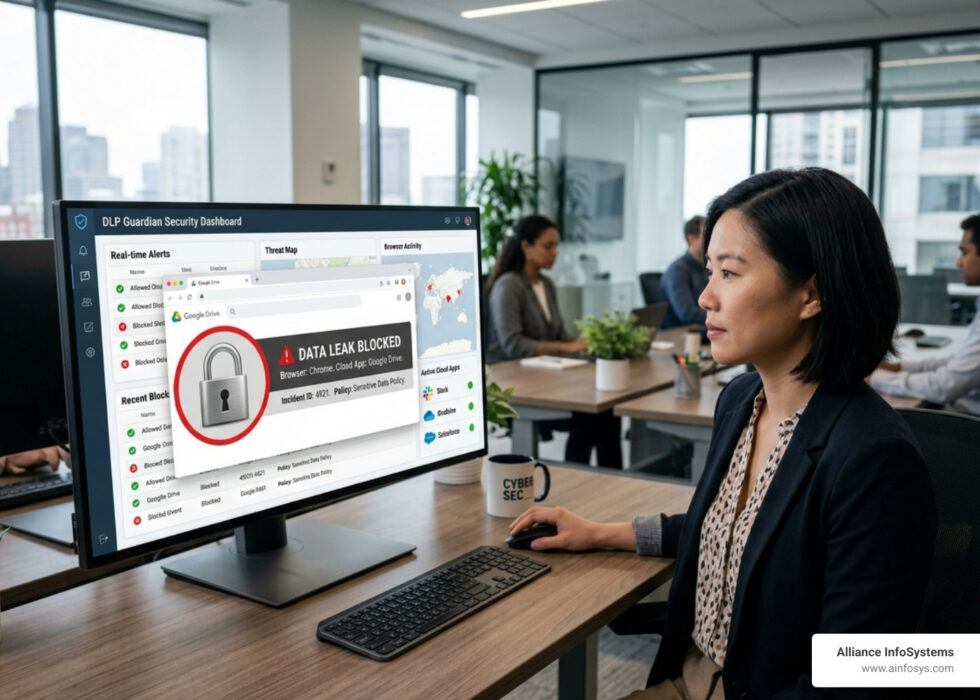
Web data loss prevention is a set of tools, policies, and processes that monitor and block sensitive data from leaving your organization through web browsers, SaaS applications, email, and cloud services.
Here is a quick breakdown of what web DLP does and why it matters:
| What Web DLP Does | How It Works |
|---|---|
| Monitors web traffic | Inspects data moving through browsers and web apps in real time |
| Blocks unauthorized uploads | Stops sensitive files from being sent to unapproved cloud storage or personal email |
| Detects sensitive content | Uses pattern matching, AI, and OCR to identify PII, PHI, and financial data |
| Controls SaaS usage | Governs what data employees can share in tools like Google Drive, Slack, or ChatGPT |
| Supports compliance | Creates audit logs for GDPR, HIPAA, and PCI DSS requirements |
| Prevents AI data leaks | Intercepts sensitive data pasted into generative AI tools |
Think about how much of your team’s work happens inside a browser today. Files get uploaded to cloud storage. Customer data gets copied and pasted between apps. Employees use AI tools to speed up their work. Every one of those actions is a potential data leak waiting to happen.
The numbers back this up. The average cost of a data breach has now reached USD 4.88 million, a 10% jump over the previous year. Nearly half of all breaches involve customer personal information. Malicious insider incidents are even more expensive, averaging USD 4.99 million per event.
And here is the part that catches most organizations off guard: 35% of breaches involve “shadow data,” meaning data that IT departments did not even know existed on their own networks. You cannot protect what you cannot see.
For small and mid-sized businesses especially, these are not just alarming statistics. A single breach can mean regulatory fines, lost customer trust, and recovery costs that take years to absorb. Web DLP is one of the most direct ways to close the gaps that traditional security tools miss.
The challenge is that most legacy security tools were not built for the web-first world we work in today. About 95% of web traffic is now encrypted using TLS/SSL, and older DLP systems simply cannot inspect it effectively. That leaves a massive blind spot right in the middle of where your data is most at risk.
This guide will walk you through how modern web DLP works, what to look for in a solution, and how to build a strategy that actually fits how your organization operates.
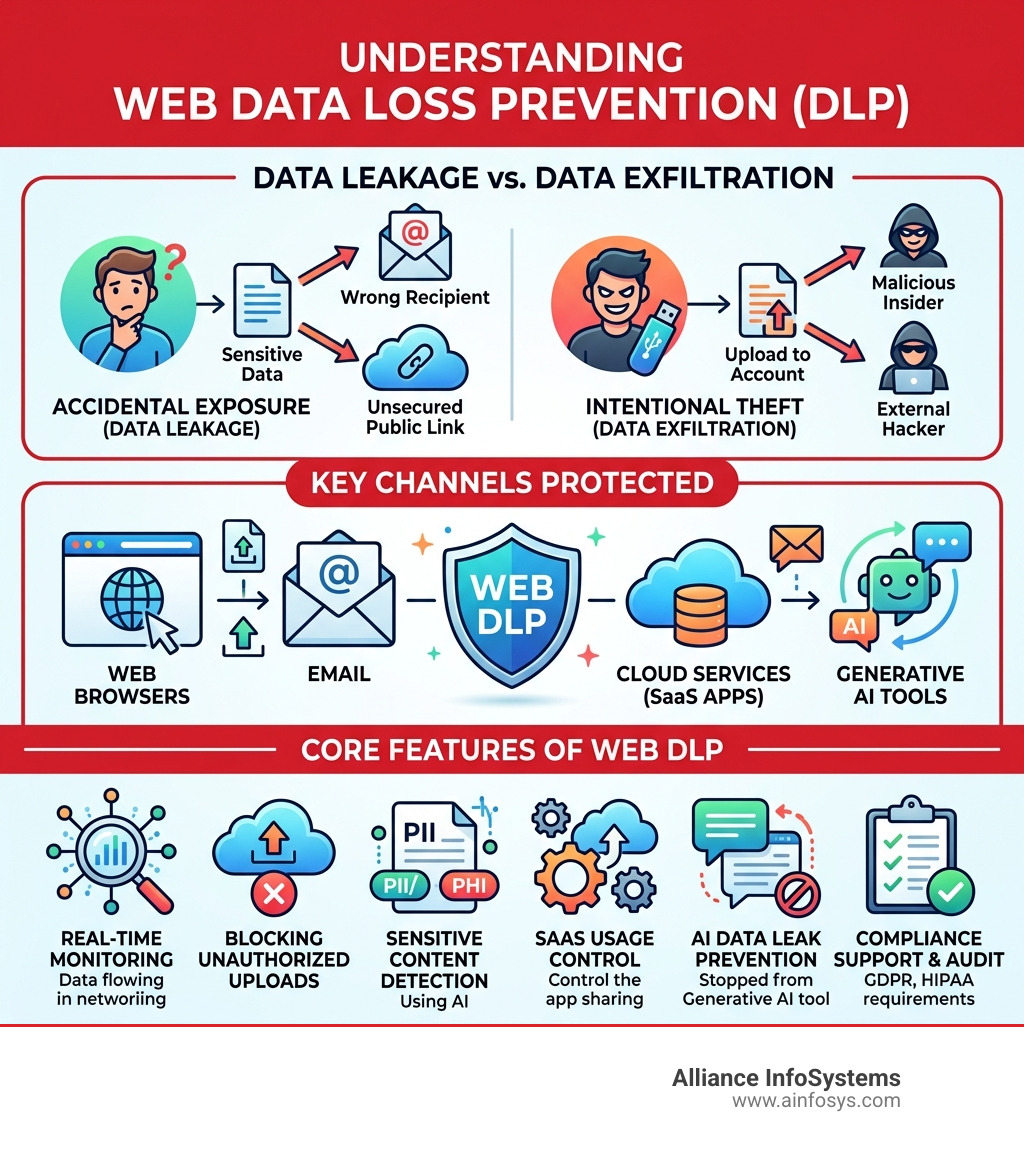
To truly master web data loss prevention, we first have to understand the three states of data. First, there is data at rest, which is sitting in your data storage. Then there is data in use, currently being manipulated by an employee. Finally, and most critically for web security, there is data in motion. This is data traveling across the internet, often the least secure state and the most likely to be intercepted or misdirected.
Many businesses confuse “data leakage” with “data exfiltration.” While they sound similar, the intent is different. Data leakage is often accidental—think of an employee mistakenly emailing a spreadsheet to the wrong “John Smith.” Exfiltration is intentional, such as a malicious actor or a departing employee moving data to a personal device. You can find everyday examples of data loss in both categories, and a strong web DLP strategy must address both.
Why Web DLP is Critical for Modern Organizations
In 2026, the traditional “office perimeter” has largely vanished. With 64% of the workforce expected to be remote or hybrid by the end of this year, your data is no longer locked behind a physical firewall. It lives in the cloud, travels over home Wi-Fi, and is accessed via personal laptops.

This shift has made data protection much more complex. We are seeing a massive rise in “shadow data”—sensitive information that lives in unsanctioned SaaS apps or personal cloud accounts that IT doesn’t manage. Because 40% of breaches now occur in organizations with data spread across multiple environments, having a unified way to see and secure this web traffic is no longer optional.
Furthermore, professional data backup solutions essential for business are only one half of the coin. While backups ensure you can recover from a disaster, web DLP ensures that the disaster—a massive leak of intellectual property or customer PII—never happens in the first place.
How Web Data Loss Prevention Detects Sensitive Content
Modern browser DLP doesn’t just look for keywords. If it did, your security team would be buried in false positives. Instead, it uses several sophisticated detection methods:
- Pattern Matching & Regular Expressions (Regex): This identifies structured data like Social Security numbers, credit card digits, or tax IDs.
- Optical Character Recognition (OCR): This allows the system to “read” text inside images, such as a photo of a passport or a screenshot of a bank statement.
- AI and Machine Learning Context: This is the “brain” of the operation. It looks at the intent and context. Is the user pasting 500 rows of customer data into a personal Gmail account, or just one name into a CRM?
- Exact Data Match (EDM): This fingerprints your actual database records so the system knows exactly when “real” customer data is being moved.
Inspecting Encrypted Traffic and GenAI Risks
One of the biggest hurdles in web security is that 95% of web traffic is now encrypted via TLS/SSL. While this is great for privacy, it creates a massive visibility gap for security. Legacy DLP tools often go “blind” when data is encrypted. Modern web data loss prevention tools use high-performance inspection to decrypt, scan, and re-encrypt traffic in real-time without slowing down the user experience.
Then there is the newest threat: Generative AI. It is incredibly easy for an employee to accidentally leak proprietary source code or financial projections by pasting them into a prompt for ChatGPT or Gemini. By 2027, it is projected that 17% of all data leaks will involve generative AI. Effective web DLP creates guardrails around these tools, allowing employees to use AI productively while minimizing data loss by blocking sensitive content from being sent to AI models.
Implementation Strategies and Best Practices
Implementing data loss prevention is as much about people and processes as it is about technology. We recommend a phased approach to avoid “alert fatigue” and business disruption.

- Identify and Classify: You cannot protect everything at once. Start by identifying your most critical data (PII, IP, financial records) and use best practices server backup data protection to ensure you have a baseline of security.
- Simulation Mode: Before you start “blocking” actions, run your policies in simulation mode. This allows you to see what would have been blocked and fine-tune your rules to reduce false positives.
- The Principle of Least Privilege: Ensure users only have access to the data they absolutely need for their jobs.
- Integrate with SIEM: Connect your DLP alerts to your Security Information and Event Management (SIEM) platform. This gives your security team a “single pane of glass” view of all incidents.
The Role of Web Data Loss Prevention in Regulatory Compliance
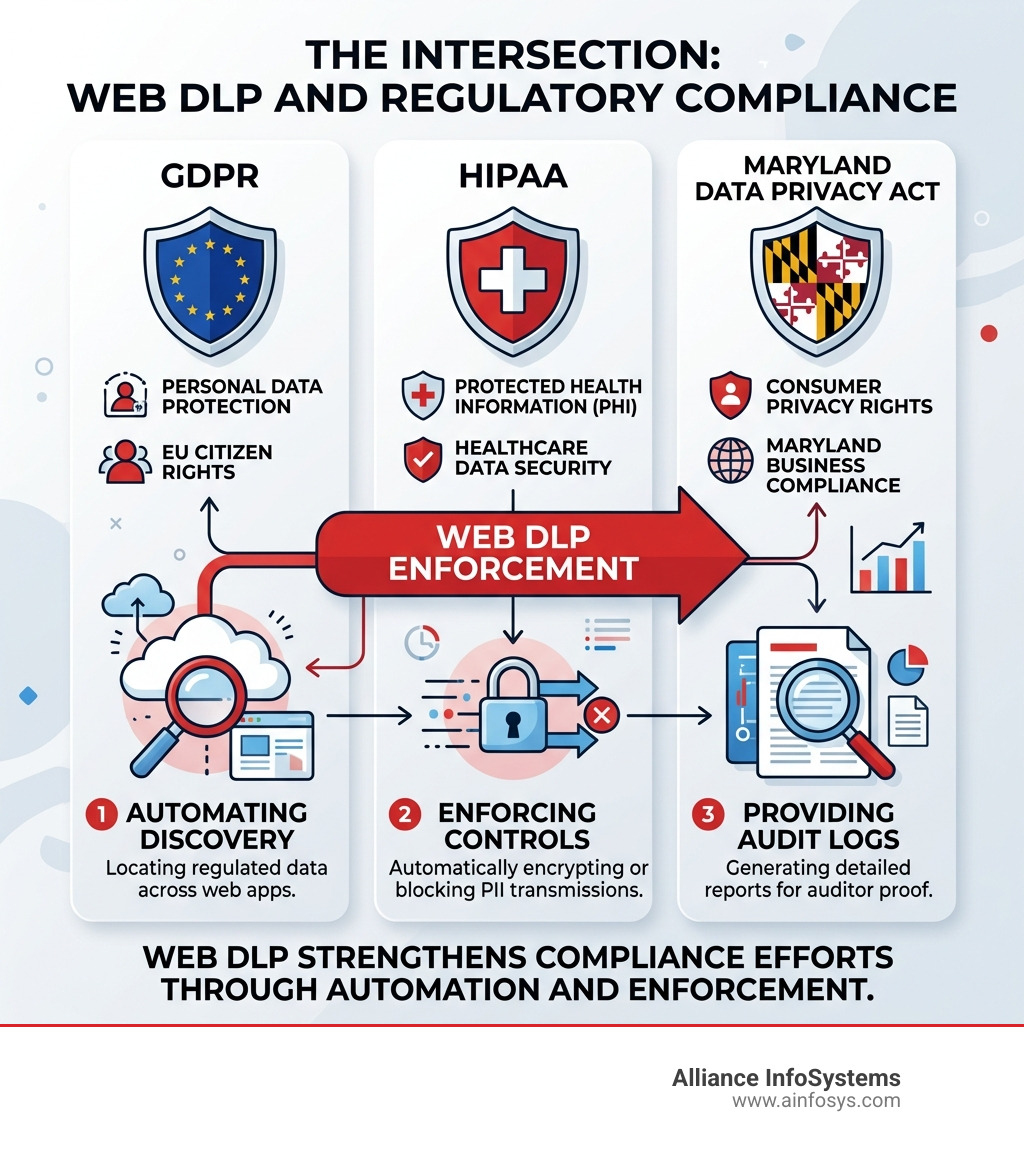
For businesses in Maryland and across the U.S., the regulatory landscape is getting tighter. Between the Maryland Online Data Privacy Act and federal standards like HIPAA (healthcare), GDPR (European customers), and PCI DSS (credit cards), the cost of non-compliance is staggering.
Web DLP helps you meet these requirements by:
- Automating Discovery: Finding where regulated data lives across your web apps.
- Enforcing Controls: Automatically encrypting or blocking the transmission of PII.
- Providing Audit Logs: Generating the detailed reports needed to prove to auditors that you are protecting sensitive information.
Frequently Asked Questions about Web Data Loss Prevention
What is the difference between data leakage and data exfiltration?
As we mentioned earlier, it comes down to intent. Data leakage is usually accidental—a mistake made by a well-meaning employee. Data exfiltration is a deliberate act by a malicious insider or an external hacker to steal data. Both result in data loss, but they require different detection strategies.
Does web DLP impact browser performance for employees?
In the past, yes. However, modern “cloud-native” or “agentless” solutions, such as Cloudflare DLP or DataFence, are designed for zero latency. They inspect traffic at the edge or via lightweight browser extensions, meaning your team likely won’t even notice it’s there—unless they try to do something risky.
Can web DLP block sensitive data from being pasted into AI tools?
Yes! This is one of the most important features of web data loss prevention in 2026. You can create specific policies that allow employees to use AI for general tasks but immediately block the action if they try to paste sensitive “service domains” or specific data types like source code or customer lists into an AI prompt.
Conclusion
At Alliance InfoSystems, we understand that protecting your data in a web-first world is a major challenge. Since 2004, we have helped Maryland organizations navigate the complexities of IT security and data backup.
We view web DLP not just as a “security tool,” but as a strategic asset. Our expertise in IT procurement ensures that you are procuring the right software through a lifecycle management strategy that adds real value to your business. We help you select the right tools that balance high-level security with employee productivity, ensuring your team can work fast without working “risky.”
Whether you are looking to comply with the Maryland Online Data Privacy Act or simply want to stop the “silent leaks” in your organization, we have the 20+ years of experience to guide you. If you’ve ever wondered what to do when disaster strikes, the best answer is to have the right prevention in place before it does.
Ready to secure your web traffic? Explore our data backup and recovery services and let us help you build a custom security roadmap for your Maryland-based business.