When IT Disaster Strikes Maryland Businesses, Every Minute Counts
IT disaster recovery Maryland businesses need is closer than you think. Here are the top local providers and strategies to protect your business:
Quick Answer: Top Ways to Find IT Disaster Recovery Providers in Maryland
- Evaluate local data center infrastructure (look for Tier 3/4 certified facilities)
- Confirm compliance with Maryland state IT guidelines and UMGC Policy X-1.09
- Define your RTO and RPO before contacting any provider
- Look for cloud-integrated DRaaS (Disaster Recovery as a Service) solutions
- Verify annual testing and maintenance protocols
- Assess security measures for confidential data protection
Data loss is not just an IT problem. It is a business survival problem.
Research from Gartner found that 94% of businesses that suffer permanent data loss never reopen. That is not a statistic you want to become part of.
Maryland businesses face real risks every day — cyberattacks, flooding, power outages, hardware failures, and human error. Any one of these can bring your operations to a halt. Without a solid recovery plan in place, getting back up and running can take days, weeks, or sometimes never happen at all.
The good news? The right IT disaster recovery partner can get you back online in hours, not weeks.
I’m Sara Szot, President of Alliance InfoSystems, and I’ve spent years helping Maryland-area businesses build resilient, practical IT disaster recovery Maryland strategies that fit their budgets and their real-world risks. In the sections below, I’ll walk you through exactly how to find and evaluate the right provider for your needs.
1. Evaluate Local Data Center Infrastructure and Proximity
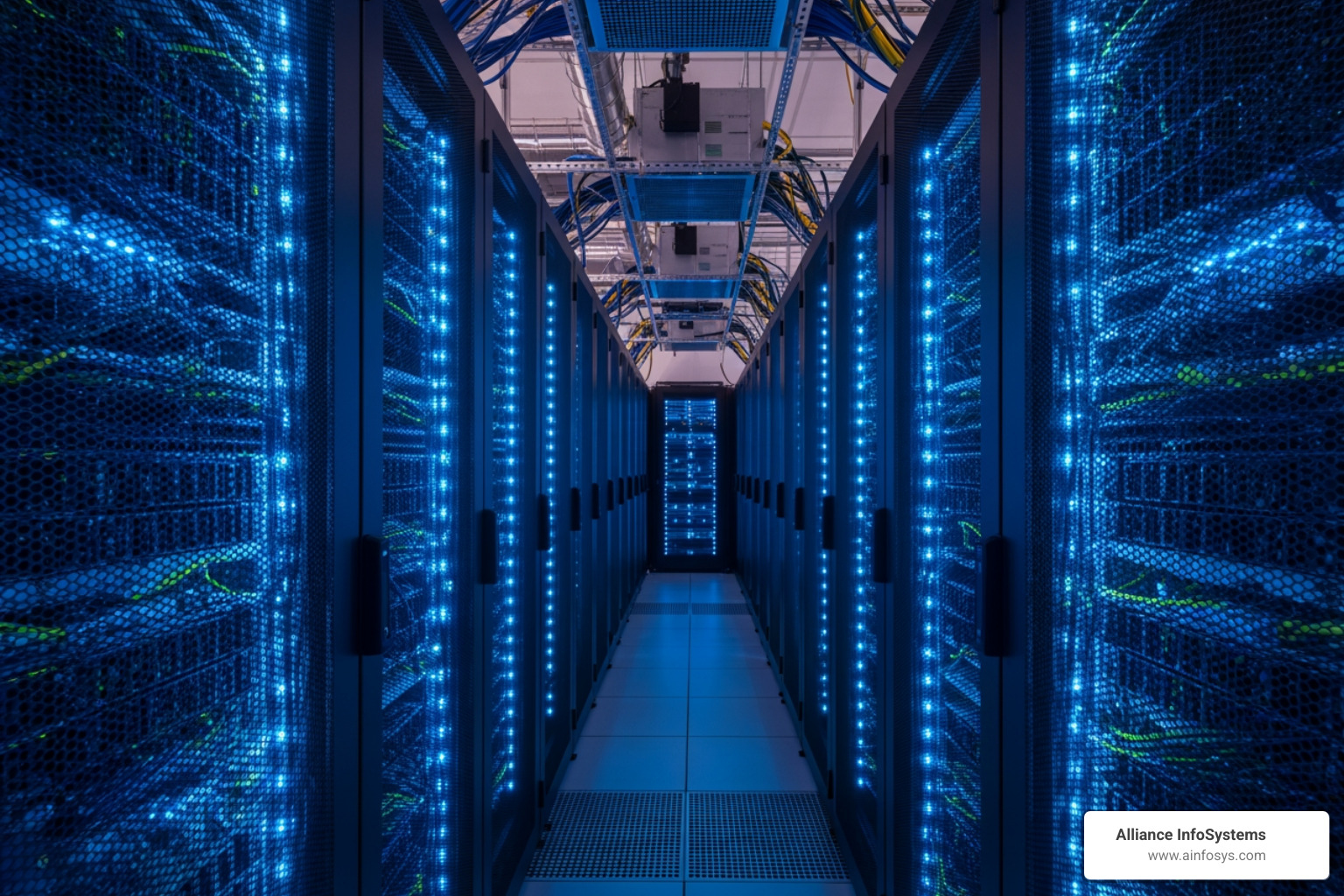
When you are searching for it disaster recovery maryland services, the physical home of your data matters. You don’t want your backup data sitting in a basement on a consumer-grade hard drive. You want it in a fortress.
In Maryland, we are fortunate to have world-class facilities. For instance, data centers in Silver Spring are designed as high-density enterprise storage vaults. When evaluating a provider’s infrastructure, look for “Tier 4” standards. This is the gold standard for concurrent maintainability and fault tolerance.
A Tier 4 facility means that if a cooling system fails or a power line is cut, there is a redundant system ready to take over immediately without any downtime. These facilities often support power densities exceeding 150 watts per square foot and feature N+2 or N+1 configurations. This level of “site resiliency” ensures that even if a major ISP fails or a local power grid goes dark, your data remains accessible.
Proximity is also a factor. While “distant locations” are required for safety (to ensure a single regional disaster doesn’t take out both your office and your backup), having a partner who understands the local Rockville landscape is invaluable. To see how local businesses manage these risks, check out Rockville Rises: Bouncing Back from Any Disaster.
2. Prioritize Compliance with Maryland State IT Guidelines
Maryland has some of the most rigorous IT standards in the country, largely due to our proximity to federal agencies and our robust educational system. If you are a business in Maryland, your disaster recovery plan (DRP) shouldn’t just be a “good idea”—it should be a compliant document.
We often look to the UMGC Policy X-1.09 as a benchmark. This policy, used by the University of Maryland Global Campus, requires that Disaster Recovery Plans be updated and tested at least annually. It also mandates that “Data Stewards” define specific recovery objectives and that all backup media containing confidential data be encrypted.
Furthermore, Maryland businesses often need to align with:
- NIST SP 800-34: Federal guidelines for contingency planning.
- CMMC (Cybersecurity Maturity Model Certification): Essential for defense contractors in the Maryland/DC corridor.
- USM IT Security Standards: State-level standards for data integrity.
A comprehensive plan must include a resource contact list, a succession plan (who is in charge if the CEO is unavailable?), and a restoration priority list. You can learn more about structuring these documents in our guide on the Disaster Recovery Business Continuity Plan. For the full policy details, you can also reference the UMGC Policy on IT Disaster Recovery Policy.
3. Define Your RTO and RPO for IT Disaster Recovery Maryland
Before you sign a contract for it disaster recovery maryland, you need to know your numbers. Specifically, your RTO and RPO.
- Recovery Time Objective (RTO): This is the “how long” question. If your systems go down at 9:00 AM, how many hours can you afford to be offline before the financial damage becomes terminal?
- Recovery Point Objective (RPO): This is the “how much” question. If you perform backups once a day at midnight and your system crashes at 11:00 PM, you’ve lost 23 hours of data. Is that acceptable?
Many Maryland businesses claim they have “zero tolerance” for downtime, but high-availability solutions that offer instantaneous failover come with higher costs. A “needs analysis” is essential to balance your budget with your actual risk.
| Metric | Definition | Goal for Maryland SMBs |
|---|---|---|
| RTO | Max allowable downtime | 4–8 hours for critical systems |
| RPO | Max allowable data loss | Less than 24 hours (Daily minimum) |
For a deeper dive into these metrics, see Data Recovery 101: What to Do When Disaster Strikes.
Selecting the Right IT Disaster Recovery Maryland Partner
The right partner offers more than just software; they offer a “warm” relationship. You want a local team that can provide on-site support if the situation demands it. Look for providers with a proven track record in the region—whether you are in the tech hubs of Bethesda or the maritime offices of Annapolis. As we like to say, Annapolis: Where Business Continuity Never Takes a Vacation.
Scaling Your IT Disaster Recovery Maryland Strategy
Modern businesses don’t just store data on a local server. Your data is likely scattered across Office365, Salesforce, Azure, AWS, and remote employee laptops. A “painless” provider will offer multi-platform protection that wraps all these services into one managed dashboard. If your business relies heavily on databases, make sure to follow SQL Disaster Recovery Best Practices to ensure your records remain intact.
4. Look for Cloud-Integrated DRaaS Solutions
Traditional tape backups are a thing of the past. Today, it disaster recovery maryland is driven by the cloud. Disaster Recovery as a Service (DRaaS) allows you to replicate your entire IT environment in the cloud.
When a disaster strikes—like a fire in your Baltimore office—you can “spin up” your virtual servers in a cloud environment almost instantly. This is often referred to as a Hot Site.
Here is the difference between the three main types of recovery sites:
- Hot Site: A fully functional data center with your data mirrored in real-time. Recovery is nearly instantaneous.
- Warm Site: Has the hardware available, but you need to load your latest backups before you can start working. This takes a few hours.
- Cold Site: Just a space with power and cooling. You have to bring in the hardware and the data. This can take days.
By leveraging cloud integration, Maryland businesses can achieve “site resiliency” without the massive capital expense of building their own secondary data center. For a look at how this works in the field, check out Charm City Resilience: Baltimore’s Business Continuity Playbook.
5. Verify Annual Testing and Maintenance Protocols
A disaster recovery plan that hasn’t been tested is just a stack of paper. Maryland state guidelines and UMGC policies both emphasize that plans must be tested annually or whenever a significant change is made to the IT environment.
Testing ensures that:
- Damage Assessment procedures actually work.
- Communication Plans reach the right people at 2:00 AM.
- Reconstitution (returning to normal operations) doesn’t cause a second crash.
- Succession Planning is clear so everyone knows their role.
We recommend “tabletop exercises” where your team walks through a simulated disaster, as well as full-scale technical recovery drills. For a step-by-step checklist, refer to our Disaster Recovery Testing Complete Guide.
6. Assess Security Measures for Confidential Data Protection
In the rush to recover data, many businesses forget about security. If you are restoring data to a secondary site, is that site as secure as your primary one?
Your it disaster recovery maryland provider should implement:
- Encryption: Data must be encrypted “at rest” (on the backup drive) and “in motion” (while being sent to the cloud).
- Least Privilege Access: Only necessary personnel should have access to the recovery environment.
- Proactive Security Policies: This includes “clean desk” policies and regular security awareness training.
- Compliance Alignment: If you handle medical data, your DR provider must be HIPAA compliant. If you work with the state, you may need to follow Response and Recovery protocols from the Maryland Department of IT.
Frequently Asked Questions about IT Disaster Recovery
What is the difference between a hot site and a cold site?
A hot site is a mirror image of your current data center, ready to take over immediately. A cold site is essentially an empty room with power and internet; it takes much longer to get running because you have to install hardware and restore data from scratch.
How often should Maryland businesses test their disaster recovery plans?
At minimum, you should test your plan once a year. However, if you install new critical software, move offices, or have significant staff turnover, you should run a test immediately to ensure the plan is still valid.
What are the most common causes of IT disasters in Maryland?
While we do worry about natural disasters like flooding or severe storms, the most common “disasters” for Maryland businesses are hardware failure, human error (accidental deletion), and cyberattacks like ransomware.
Conclusion
Finding the right it disaster recovery maryland provider doesn’t have to be a painful process. By focusing on local infrastructure, strict compliance with state standards, and clear recovery objectives, you can protect your business from the “94% failure” statistic.
At Alliance InfoSystems, we’ve spent over 20 years helping Maryland organizations navigate these complexities. We pride ourselves on offering flexible, customized, and cost-efficient IT management that treats your business continuity as our top priority. Whether you need a full DRaaS solution or a simple, reliable backup strategy, we have the local expertise to keep you running.
Don’t wait for the “ugly path” of business disruption. More info about data backup and recovery services is available to help you start your journey toward true resilience today.