
Why Disaster Recovery Testing is Critical for Business Survival
Disaster recovery testing is the process of systematically evaluating and validating your organization’s ability to restore critical systems, applications, and data after a disruptive event. It’s not enough to simply have a disaster recovery plan – you must test it regularly to ensure it actually works when disaster strikes.
What is disaster recovery testing?
- A proactive process to validate your DR plan’s effectiveness
- Testing system failover, data backup integrity, and recovery procedures
- Simulating various disaster scenarios in a controlled environment
- Measuring recovery times against predetermined objectives
Why test your disaster recovery plan?
- Identifies gaps and weaknesses before an actual disaster
- Ensures compliance with industry regulations and cyber insurance requirements
- Validates that recovery time and data loss objectives can be met
- Builds team confidence and familiarity with recovery procedures
Common testing methods:
- Walkthrough tests – reviewing the plan step-by-step
- Tabletop exercises – discussing scenarios with key stakeholders
- Simulation tests – partial system testing in a controlled environment
- Full interruption tests – complete system failover and recovery
The stakes couldn’t be higher. According to the National Archives & Records Administration, 93% of companies that lose access to their data for 10 days or more file for bankruptcy within a year. With ransomware accounting for 24% of all data breaches and human error causing 82% of security incidents, regular testing isn’t optional – it’s essential for survival.
Your disaster recovery plan is only as good as your last successful test. Without regular validation, you’re gambling with your business’s future on an untested assumption that everything will work when it matters most.
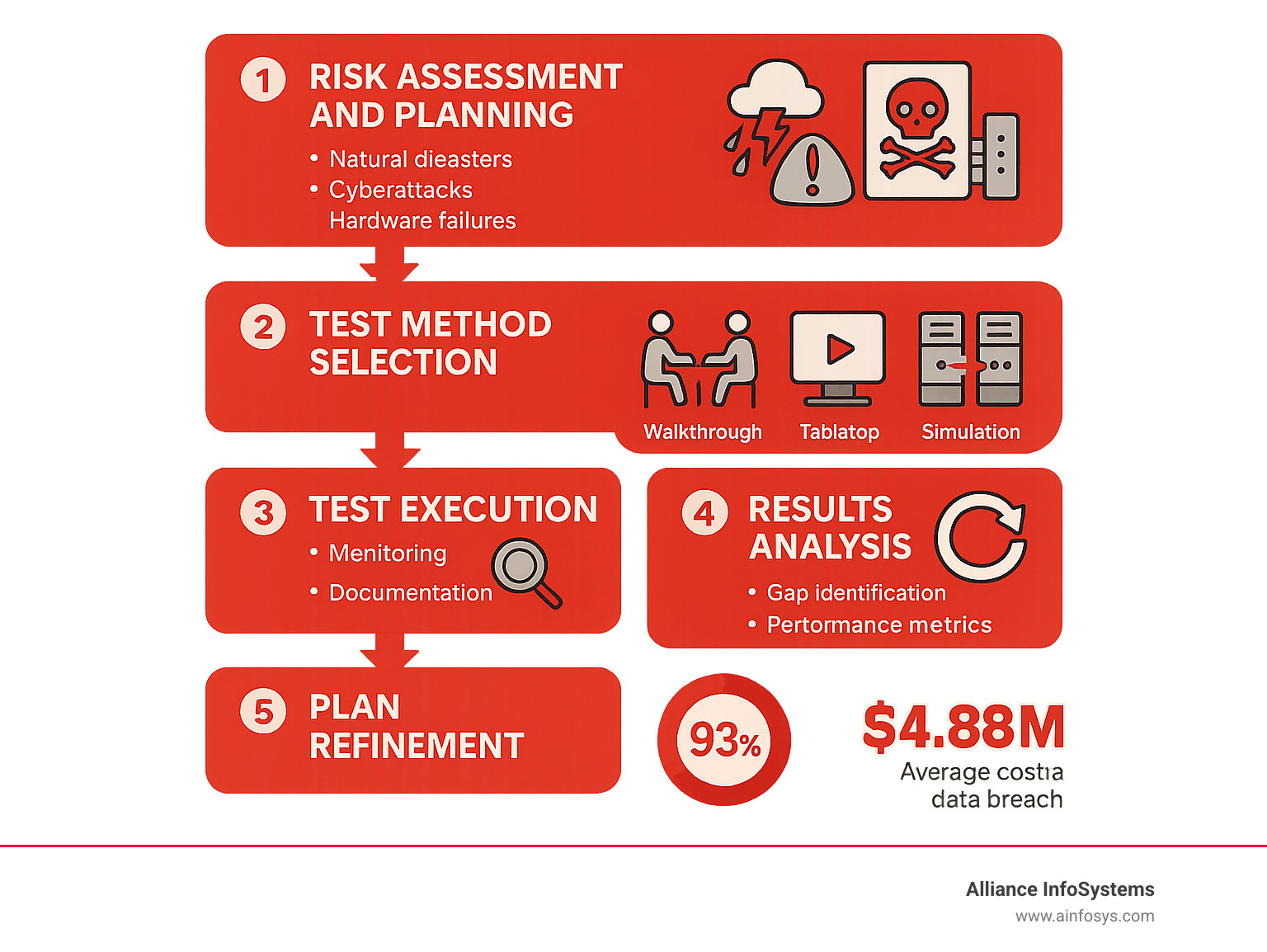
Why Disaster Recovery Testing is a Business Imperative
Businesses depend on their IT systems and data. A disruption can be catastrophic, which is why disaster recovery testing is a fundamental business imperative. It ensures your business can recover, bounce back, and thrive after a crisis.
The Alarming Cost of Unpreparedness
The cost of an untested disaster recovery plan can be devastating. When disaster strikes, the clock starts ticking. Downtime isn’t just an inconvenience; it can cost businesses anywhere from $10,000 per hour for smaller operations to over $5 million per hour for large enterprises.

The threats we face are constantly evolving. Ransomware accounts for a significant 24% of all data breaches, while human error is responsible for a staggering 82% of security incidents. The financial toll is immense, with the cost of ransomware attacks is projected to rise to $250 billion USD by 2031, making tested recovery plans essential.
Don’t assume popular productivity suites like Microsoft 365 and Google Workspace have you fully covered. They have limited retention policies, aren’t liable for data loss, and recommend third-party backups. A deleted file could be gone forever in as little as 14 days—a common misconception that leads to irreversible data loss.
Beyond the financial hit, an untested plan can cause irreparable reputational harm and customer churn. A Missouri medical group lost patient data after a ransomware attack because their DR plan, while followed, was inadequately tested. The plan existed, but its effectiveness wasn’t verified, leading to devastating consequences. For more insights, read 4 Important Disaster Recovery Statistics and Why They Matter.
Core Goals and Benefits of Regular Testing
Regular disaster recovery testing ensures your business can bounce back stronger and more resilient. The core benefits are clear:
- Validate DR Plan Effectiveness: Prove your plan works in a real-world scenario, ensuring it’s more than just a document on a shelf.
- Meet Compliance and Insurance Requirements: A tested DR plan is often mandatory for cyber insurance and essential for regulations like HIPAA and FINRA.
- Reduce Recovery Costs: Identify and fix inefficiencies before a crisis, saving time and money when a disaster strikes.
- Minimize Downtime and Data Loss: Confidently achieve your Recovery Time Objectives (RTOs) and Recovery Point Objectives (RPOs).
- Improve Team Readiness: Familiarize your team with their roles in a crisis, reducing panic and improving coordination.
- Identify Gaps and Weaknesses: Uncover issues with software, hardware, or procedures before they can cause a real problem.
Robust disaster recovery testing transforms assumptions into verified capabilities, providing peace of mind. Learn more in our guide on Data Recovery 101: What to Do When Disaster Strikes.
Types of Disaster Scenarios and Testing Methodologies
To keep your business safe, you must plan for various disruptive events. This means simulating different scenarios to test your resilience.
Common Disaster Scenarios to Simulate
When planning your disaster recovery testing, it’s important to simulate a wide range of scenarios that could disrupt your operations:
- Natural Disasters: Fires, floods, hurricanes, earthquakes, and severe weather can cause extended power outages and physical damage.
- Cyberattacks: Simulate malware risks like Ransomware, viruses, and Trojans. A ransomware attack could prevent all employees from accessing critical data, so you must know how quickly you can recover.
- Human Error: Accounting for 82% of breaches, this includes accidental deletions, misconfigurations, or incorrect commands that lead to data loss or downtime.
- Hardware Failure and Power Outages: Common issues like server crashes, hard drive failures, or power outages can halt operations without proper backup and recovery plans.
- Other Scenarios: Test for Loss of Key Staff (testing documentation and cross-training), Physical Damage to Facilities (forcing alternate site operations), and IT Network Failure (severing access to applications and data).
Simulating these scenarios helps identify blind spots and ensures your plan is comprehensive. For more insights, see our guide: Everyday Examples of Data Loss.
Choosing the Right Disaster Recovery Testing Method
There are several ways to test your recovery capabilities. The right methodology for your disaster recovery testing depends on your goals, budget, and tolerance for disruption during the test itself.
| Testing Methodology | Description | Scope | Cost | Business Impact |
|---|---|---|---|---|
| Walkthrough Test (Plan Review) | Team reviews the DR plan step-by-step to find inconsistencies and clarify roles. | Theoretical; focuses on documentation and team understanding. | Low | Minimal |
| Tabletop Exercise | Stakeholders discuss a simulated disaster, verbally walking through the plan to test decision-making. | Process-focused; tests communication and decision-making. | Low-Moderate | Minimal |
| Simulation Test | A disaster scenario is run in a controlled environment to test specific procedures with partial system testing. | Tests technical and procedural elements for specific systems. | Moderate | Low-Moderate (controlled) |
| Parallel Test | DR systems are activated alongside production systems, verifying recovery without disrupting business. | Verifies technical recovery without production impact. | Moderate-High | Minimal (no interruption) |
| Full Interruption Test (Full-Scale) | Production systems are taken offline to perform a complete recovery using the DR plan. | Comprehensive; tests the entire DR plan, including failover. | High | High (planned downtime) |
Each method has unique strengths. Walkthroughs and tabletop exercises are ideal for initial validation and training with minimal cost. Simulations and parallel tests offer more realism without disrupting operations. A full interruption test, while disruptive, provides the most comprehensive validation. A combination of methods is often the best strategy.
A Step-by-Step Guide to Implementing Your Testing Plan
Understanding the why and what of disaster recovery testing is crucial, but the how is where strategy becomes reality. Building a strong testing plan is about creating a living process that keeps your business safe.
Step 1: Define Scope, Objectives, and Key Metrics
Before testing, it’s crucial to define your goals to set a strong foundation. Start by conducting a thorough risk assessment to identify the most likely disaster scenarios for your organization. Next, identify your critical systems and data, prioritizing the mission-critical applications and information essential for business operations.
Then, define your targets:
- Recovery Time Objective (RTO): How quickly a system must be restored.
- Recovery Point Objective (RPO): The maximum amount of data you can afford to lose.
- Maximum Tolerable Downtime (MTD): The absolute longest a system can be down.
These objectives become your benchmarks for successful disaster recovery testing. For more on planning, see our Disaster Recovery Business Continuity Plan.
Step 2: Assemble the Team and Allocate Resources
A great plan needs a great team. Assemble a dedicated DR team including technical experts from IT, security, networking, and storage, along with a lead coordinator and a scribe. Identify all stakeholders, including business unit leaders, HR, and communications teams.
Establish clear communication channels that work even if primary systems are down. Finally, allocate appropriate resources, including a budget for tools and a safe test environment that won’t interfere with live systems. Proper tool selection is a crucial part of this step.
Step 3: Document the Process and Execute the Test
This is where planning turns into action. Develop a detailed test plan outlining the scope, goals, methods, and responsibilities. Then, create specific test cases for each failure scenario with clear steps and success criteria.
Document test scripts carefully to ensure consistency. Set up a controlled environment that mirrors production but is completely isolated to prevent impacting live systems. Conduct dry runs to catch issues before the main event. Then, execute the test according to the plan. Meticulous monitoring and issue logging are critical during execution. An audit log is crucial for tracking test events and provides a full record.
Step 4: Analyze Results and Refine the Plan
After the test, turn the raw data into actionable improvements. Review the test results against your RTOs and RPOs to identify gaps and bottlenecks where processes or technology failed. Hold a formal post-test analysis with all stakeholders in a no-blame environment focused on learning.
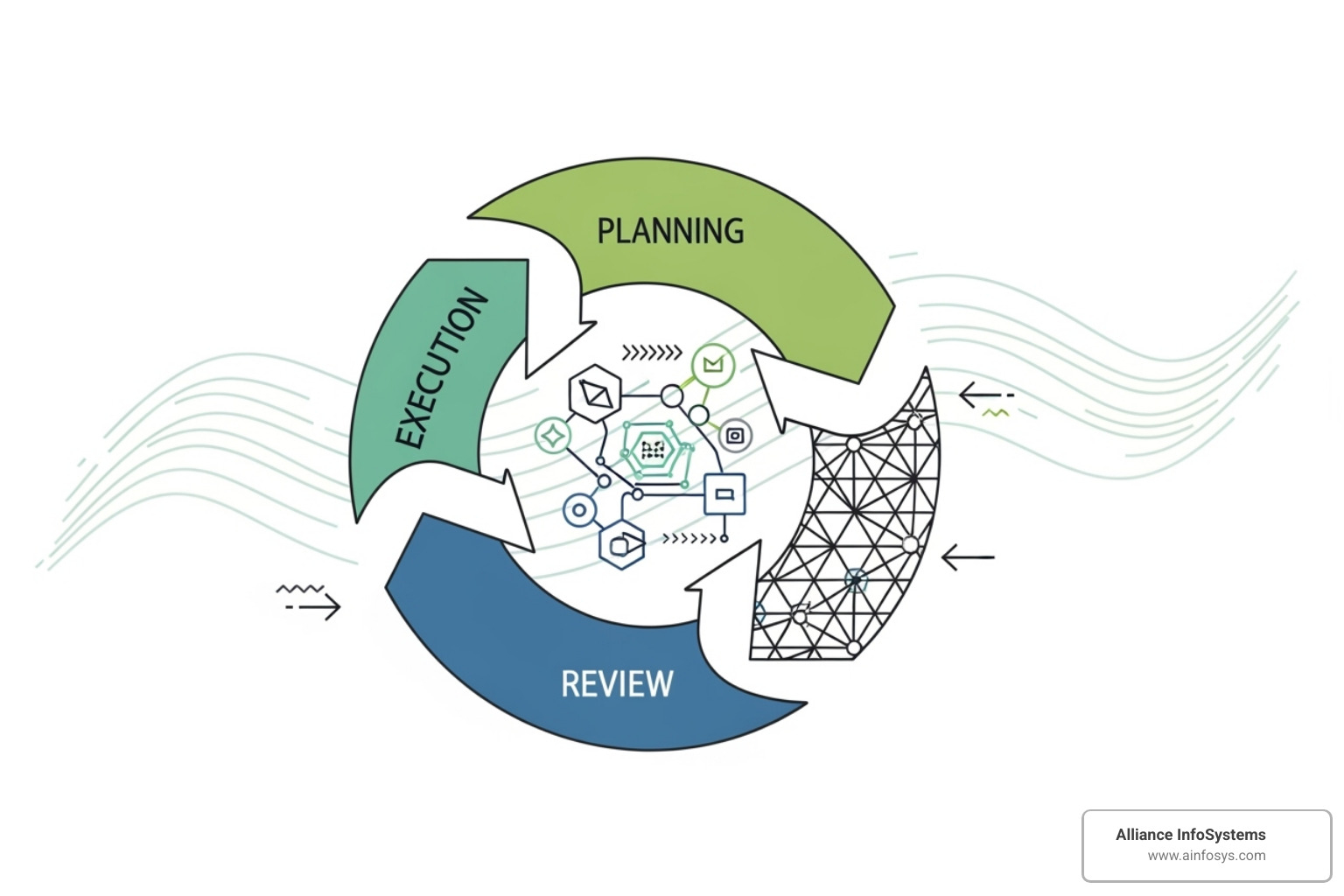
Document all findings as lessons learned to serve as a resource for future tests. Based on the analysis, update the DR plan, which should be a living document. Train staff on updated processes and formulate mitigation plans for any identified gaps. This continuous cycle of testing, analyzing, and refining builds true resilience. For more on BDR, visit our BDR (Backup and Disaster Recovery) Tag Page.
Best Practices for Effective Disaster Recovery Testing
To ensure your disaster recovery testing is truly effective, weave it into your business operations, turning your plan into a reliable lifeline.
Establish a Consistent Testing Frequency
A disaster recovery plan requires regular exercise to stay effective. IT systems constantly change, so a plan can quickly become outdated. Consistency is key. We recommend a comprehensive test annually, supplemented by smaller, more frequent tests (quarterly or monthly) on critical components. This keeps your team sharp and helps you spot issues early.
Crucially, test after any major infrastructure changes, like server upgrades or cloud migrations. Treat disaster recovery testing as a continuous cycle of testing, learning, and updating to stay ahead of risks. For more insights, see our Best Practices for Server Backup & Data Protection.
Test People, Processes, and Technology
Effective testing goes beyond technology; it requires a holistic approach that includes people and processes.

- Test the people: Ensure your team understands their roles and can follow procedures under pressure. This builds confidence and reduces human error.
- Test the processes: Verify that recovery guides (“runbooks”) are clear, communication plans are effective, and the recovery order of operations is logical.
- Test the technology: Verify that system failover is smooth, data integrity is sound, and backups are restorable. Check application recovery, alerts, network resilience, and the recoverability of critical Identity and Access Management (IAM) systems.
This comprehensive approach ensures all components are ready. For more, see our Data Protection & Disaster Recovery in Virtualized Environments Event.
Leverage Automation and Modern Tools
Manual disaster recovery testing is time-consuming and prone to error. Modern technology offers solutions to make testing smoother and more accurate. Automated testing boosts efficiency and accuracy, leading to consistent, repeatable tests that quickly identify issues.
Solutions like Cloud Failover and DRaaS (Disaster Recovery as a Service) provide flexible, on-demand infrastructure for replication and recovery. Many include automated runbooks that deploy systems automatically, removing the need for a physical recovery site. Configuration drift detection tools continuously monitor your recovery environment to ensure it doesn’t deviate from your production setup.
Monitoring and observation tools provide crucial insights into system performance during and after a test. For advanced resilience testing, Chaos Engineering tools intentionally introduce faults to see how your system responds. Modern backup and recovery tools offer automated integrity verification and detailed reporting. Embracing these tools makes disaster recovery testing more efficient, accurate, and scalable. For more, visit our Data Backup Tag Page.
Frequently Asked Questions about Disaster Recovery Testing
We understand that disaster recovery testing can raise a lot of questions. Here, we address some of the most common ones to help you feel more confident about your readiness.
How often should a disaster recovery plan be tested?
The ideal frequency for disaster recovery testing is dynamic and depends on your specific business environment. A full, comprehensive test should be conducted at least annually. However, if your IT environment changes frequently (e.g., new applications, infrastructure upgrades), you should test more often to keep your plan current.
Testing frequency also depends on your risk tolerance and compliance requirements. Businesses with low tolerance for downtime and those in regulated industries will need to test more often. Finally, the criticality of your systems is another factor. Vital systems may require dedicated quarterly or even monthly tests, while less critical ones can be tested annually.
Who is responsible for disaster recovery testing?
While disaster recovery testing is a team effort, a dedicated team, often part of the business continuity group, holds primary responsibility. Key players include IT Management and the CIO, who lead the strategy, and the IT Technical Teams who perform the hands-on recovery tasks.
The Security Team is also crucial to ensure the recovery process is secure. Operations and Business Unit Leaders provide input on recovery priorities and validate that their applications are functional post-test. The Legal and Compliance teams ensure tests meet regulatory requirements, while the Communications Team manages internal and external messaging. Successful testing is a collaborative effort requiring input from all these stakeholders.
What is the difference between RTO and RPO?
RTO and RPO are two fundamental metrics for measuring the success of a disaster recovery plan.
-
RTO (Recovery Time Objective) is about time. It’s the maximum acceptable downtime for a system or application following a disaster. It answers the question: “How quickly must we recover?”
-
RPO (Recovery Point Objective) is about data. It’s the maximum amount of data, measured in time, that can be lost from a system. An RPO of 15 minutes means backups must be frequent enough to prevent losing more than 15 minutes of data. It answers: “How much data can we lose?”
Disaster recovery testing rigorously measures performance against these objectives to ensure your business can meet its recovery goals for both time and data.
Conclusion
In an age of evolving digital threats and unexpected disruptions, a disaster recovery plan is not enough. It must be proven to work through consistent, rigorous disaster recovery testing.
This guide has shown why proactive testing is critical for safeguarding your business. It mitigates financial costs, ensures compliance, and builds team confidence. We’ve covered simulating diverse scenarios, choosing the right testing methods, and following a step-by-step process for planning, execution, and refinement.
Disaster recovery testing is a continuous process and a commitment to your business’s longevity. It requires adapting to new threats and regularly testing your people, processes, and technology. By leveraging automation, you can transform theoretical plans into proven capabilities, building true business resilience.
At Alliance InfoSystems, a Maryland-based IT services company with over 20 years of experience, we craft flexible, customized, and rigorously tested solutions. Our expertise in business continuity provides peace of mind. Don’t wait for a disaster to find the weaknesses in your plan.
Protect your business with professional data backup and recovery solutions.