Introduction: The Core Decision for Your IT Infrastructure
The cloud vs local server debate is one of the most critical infrastructure decisions your business will face, affecting costs, security, and operations for years. With businesses generating vast amounts of data daily—approximately 402.74 million terabytes—where you store it matters enormously.
Quick Answer: The Key Differences
| Factor | Cloud Server | Local Server |
|---|---|---|
| Cost Model | Monthly subscription (OpEx) | Upfront investment (CapEx) |
| Scalability | Instant, flexible scaling | Limited by physical hardware |
| Maintenance | Provider manages updates | In-house IT team required |
| Accessibility | Access anywhere with internet | Limited to local network |
| Control | Shared with provider | Complete physical control |
A local server (or on-premise) is physical hardware you own and manage in your office. You control the equipment, security, and updates.
A cloud server is virtual infrastructure hosted by a third-party like AWS or Azure. You access it online for a monthly fee, and the provider handles the hardware and maintenance.
The right choice builds a foundation for growth and security, while the wrong one can lead to budget overruns and system limitations. For SMBs, it’s a balance of control vs. convenience, upfront vs. ongoing costs, and in-house vs. managed expertise.
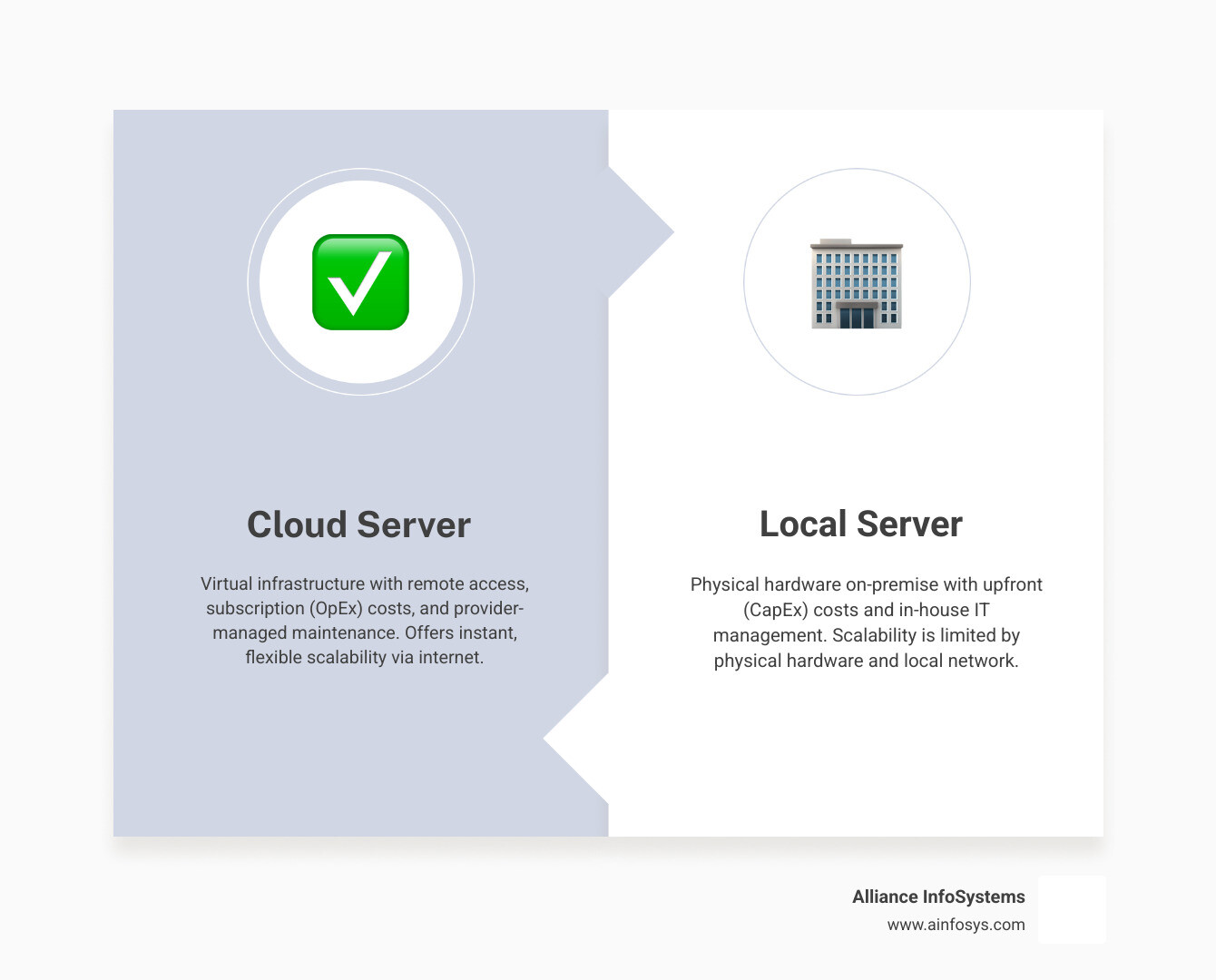
Key Differences: Cloud vs Local Server
The cloud vs local server choice represents two fundamentally different approaches to IT. Understanding these distinctions is key to making the right decision.
Deployment Models: A local, on-premise server is hardware you own and house at your location. You are responsible for the server, networking, and its physical environment (power, cooling). In contrast, a cloud server is virtual infrastructure you rent from a provider’s data center, accessed over the internet. This abstracts away hardware management, letting you focus on applications. For more on how this works, see our guide on Cloud Computing vs Virtualization: What’s the Difference?.
Data Ownership: With a local server, you have complete physical control and ownership of your data, but you’re also fully responsible for its security. In the cloud, you retain legal ownership of your data, but the provider manages the physical storage. This creates a shared responsibility model for security.
Performance: A local server can offer superior performance for low-latency or intensive I/O tasks (e.g., big data analytics) since data doesn’t travel over the internet. However, cloud providers offer high-end hardware that often rivals or exceeds what most businesses can afford for general workloads.
Reliability: Local server reliability depends on your in-house redundancy measures (e.g., backup power, RAID). Cloud providers build in massive redundancy across data centers for high uptime guarantees (e.g., 99.99%), but access depends on your internet connection.
Cost Analysis: CapEx vs. OpEx
The financial models for cloud vs local server are a key differentiator: Capital Expenditure (CapEx) versus Operational Expenditure (OpEx).
Local servers are a CapEx investment. This involves a large upfront purchase of hardware (servers, storage), software licenses, and equipment for power and cooling. You also have ongoing costs for physical space, electricity, and IT staff for maintenance. These assets depreciate and require eventual replacement. As our guide on 4 Surprising Ways the Cloud Reduces Costs in Your Business explains, these costs can add up unexpectedly.
Cloud servers use an OpEx model. You pay a recurring subscription fee based on usage, avoiding large upfront investments. This shifts IT spending to a predictable operating expense, similar to a utility bill. Tools like pricing calculators help forecast these costs.
While the cloud’s OpEx model offers budget predictability, be aware of potential hidden costs in both models. On-premise costs can include unexpected hardware failures and rising power bills. For cloud, watch for data transfer fees and usage spikes.
Scalability and Accessibility
The differences in scalability and accessibility between cloud vs local server are dramatic.
Scalability:
With a local server, scaling to meet a surge in demand requires purchasing and installing new hardware—a slow and expensive process. You risk either over-provisioning and wasting money or under-provisioning and crashing your systems.
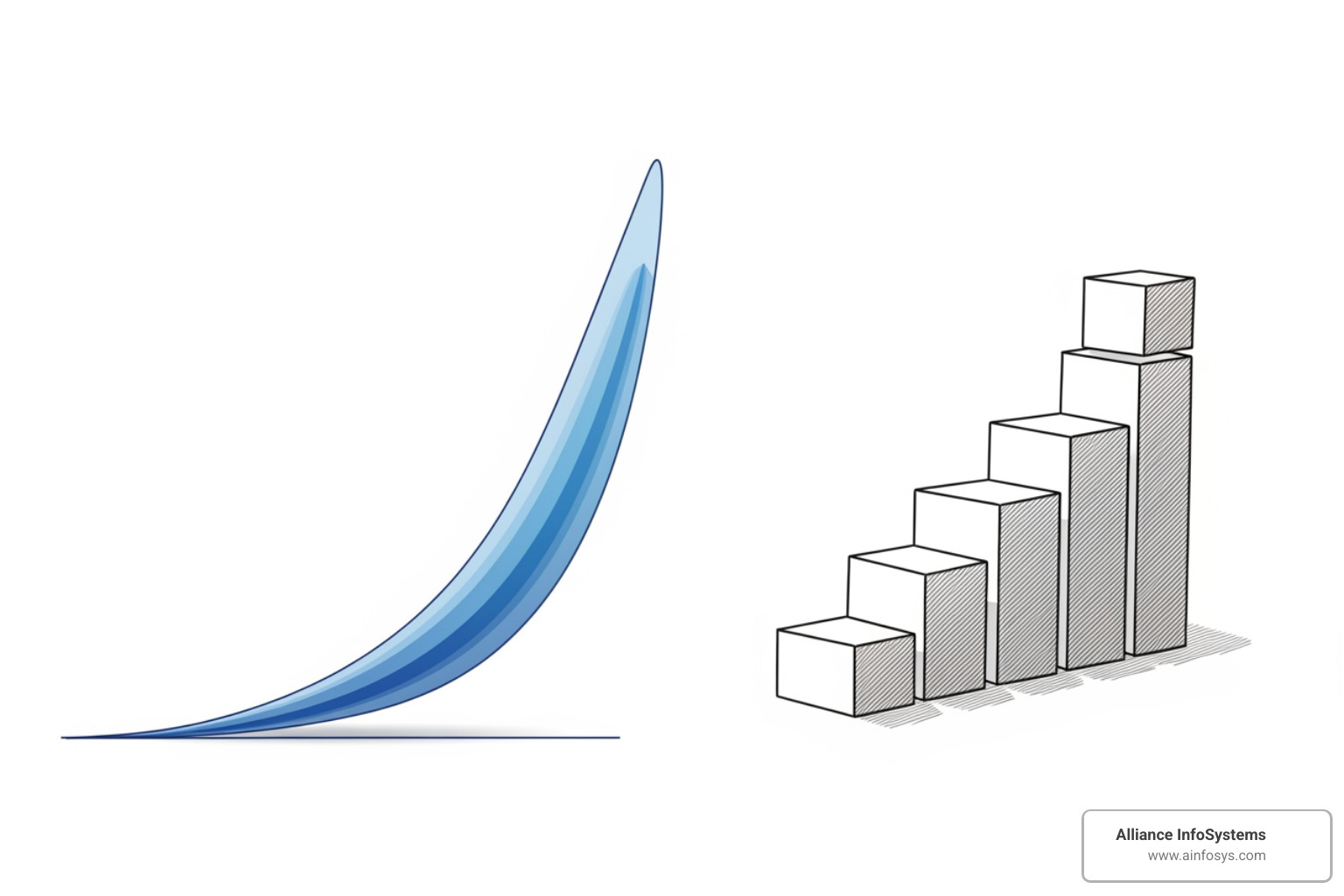
Cloud servers offer instant, on-demand scalability. You can add or remove resources (CPU, RAM) with a few clicks, paying only for what you use. This agility is ideal for businesses with fluctuating workloads or rapid growth plans.
Accessibility:
For today’s remote and hybrid workforces, cloud servers have a clear advantage. Local server access is typically restricted to the office network, requiring remote employees to use potentially slow VPNs.
Cloud servers are designed for access from anywhere with an internet connection, via PC, web browser, or mobile app. This empowers team productivity and improves Technologies That Improve Business Mobility. The main trade-off is that cloud access depends on a stable internet connection, whereas local servers can function offline for on-site users.
Implementation and Maintenance
The setup and ongoing management for cloud vs local server are vastly different, impacting your IT team’s workload.
Local Server Implementation and Maintenance:
Setting up a local server is complex, requiring in-house expertise for hardware procurement, installation, and network configuration. Ongoing maintenance is also a significant burden, as your team is responsible for all hardware repairs, software patching, backups, and monitoring. For many SMBs, this is a major challenge, which is why our Managed IT Services can be a crucial asset.
Cloud Server Implementation and Maintenance:
With a cloud server, the provider manages the physical infrastructure—hardware, networking, and cooling. They also handle many routine updates and patches. While you are still responsible for configuring your applications and data security, this model removes the burden of physical maintenance. This frees your IT team to focus on strategic initiatives instead of daily operational tasks.
Integration Challenges:
No matter your choice, integrating new infrastructure with existing systems is critical. Many businesses use a mix of on-premise and cloud tools, and ensuring they communicate seamlessly is vital. As 84% of enterprises say integration is top-of-mind, a strong integration strategy is essential for any modernization project.
Security and Compliance: Where Does Your Data Live Safely?
Security is a critical factor in the cloud vs local server decision. Both can be secure, but they involve different responsibilities.
Cloud security uses a shared responsibility model: the provider secures the physical infrastructure (security of the cloud), while you secure your data, applications, and access controls (security in the cloud). With a local server, you are responsible for everything.
Physical Security: Cloud data centers have enterprise-grade physical security (biometrics, 24/7 surveillance) that is cost-prohibitive for most businesses to replicate. A local server gives you direct physical oversight but requires you to implement these measures yourself.
Data Encryption and Access Control: Both options support data encryption and access controls. Cloud providers often offer advanced, built-in services for encryption, key management, and identity management (IAM).
Ransomware Threats: Ransomware is a major threat to any server. Strong Cybersecurity measures are essential for both models. Notably, Gartner estimates public cloud service workloads will suffer at least 60% fewer security incidents than traditional data centers, highlighting the effectiveness of provider investments when cloud environments are configured correctly.
Security Deep Dive: Cloud vs Local Server

Cloud Provider Security Investment: Major cloud providers (AWS, Azure, Google Cloud) invest billions in security, employing expert teams and advanced AI for threat detection. They offer sophisticated tools like DDoS mitigation and continuous vulnerability scanning that are beyond the reach of most businesses. Leveraging these capabilities, often with a Managed SOC: Security Operations Center, can significantly improve your security posture.
On-Premise Security Control: A local server gives you complete control over your security stack, from hardware to policies. This is an advantage for businesses with unique requirements or highly sensitive data. However, this control comes with the sole responsibility for securing every layer, requiring significant in-house expertise and constant vigilance. Your security is only as strong as your team’s ability to manage it.
The key question is not which is “safer,” but which model best fits your organization’s ability to implement and maintain effective security.
Data Control and Regulatory Compliance
Data control and compliance are major factors in the cloud vs local server decision, particularly for regulated industries.
Data Sovereignty: This is the principle that data is subject to the laws of the country where it is stored. A local server ensures your data stays within your country’s borders. Cloud providers offer regional data storage options, but you must verify these locations to meet sovereignty requirements.
Industry Regulations: Industries like healthcare and finance must adhere to strict data protection rules, such as the Health Insurance Portability and Accountability Act (HIPAA) or the General Data Protection Regulation (GDPR).
Cloud Provider Compliance: Reputable cloud providers invest heavily in achieving certifications (e.g., ISO 27001, SOC 2), which can simplify your compliance efforts. They provide compliance certifications to prove their adherence. However, under the shared responsibility model, you are still responsible for ensuring your own configurations and data handling are compliant.
Direct Compliance Oversight: A local server gives you complete oversight of compliance. You define all policies and manage audits directly. This is ideal for businesses needing absolute control but also places the full burden of regulatory adherence on your team.
Disaster Recovery and Business Continuity
Your approach to disaster recovery (DR) will differ significantly with a cloud vs local server.
On-Premise Recovery Challenges: With a local server, DR is entirely your responsibility. This requires investing in redundant hardware, off-site backups, and a manual recovery plan. Restoring operations after a failure can be a lengthy process involving significant downtime. Our Data Backup and Recovery services help businesses manage these complexities.
Cloud-Based DRaaS: Cloud providers offer powerful DR advantages, including built-in redundancy and automated failover. Disaster Recovery as a Service (DRaaS) can spin up your systems in a different location almost instantly, dramatically reducing recovery times (RTO) and data loss (RPO). Cloud backups can also be immutable, meaning they cannot be altered by ransomware—a feature 81% of IT professionals agree is the best protection against such attacks. For many, the cost and complexity of building a comparable on-premise DR solution are prohibitive.
Making the Right Choice for Your Business
Choosing between a cloud vs local server requires understanding your unique business needs, IT landscape, and future goals. There is no one-size-fits-all answer, but asking the right questions will guide you to an informed choice.
Key questions to consider:
- What are our critical applications and their performance needs?
- What are our data generation and compliance residency requirements?
- What is our budget for upfront and ongoing IT costs?
- Does our IT team have the expertise and capacity for server management?
- How important is remote access for our employees?
- What are our scalability needs over the next 3-5 years?
- What are our disaster recovery time objectives?
A thorough business needs and workload analysis is crucial. Our IT Consulting Services can help you perform this evaluation to align your IT infrastructure with your long-term strategy.
When to Choose a Local Server
You might lean towards a local server if you have:
- High-Performance Needs: Applications requiring extremely low latency or intensive I/O (e.g., large databases, video editing) can perform better on-premise by avoiding internet delays.
- Strict Data Residency Rules: If regulations mandate that data must physically reside within specific borders, a local server offers absolute control over data location.
- Unreliable Internet: In areas with poor or expensive internet, a local server ensures operations continue without interruption.
- Legacy Applications: Older, critical applications that are difficult or impossible to migrate to the cloud are best kept on a local server.
- A Need for Full Control: If you require granular control over every aspect of your hardware, software, and security, a local server provides complete ownership.
When to Choose a Cloud Server
A cloud server is likely the preferred option if your business:
- Needs Scalability for Growth: The cloud is ideal for fluctuating demands or rapid expansion, allowing you to instantly scale resources and pay only for what you use.
- Supports a Remote or Hybrid Workforce: Cloud solutions provide seamless, anywhere access to data and applications, empowering distributed teams.
- Prefers Budget Predictability: The cloud’s OpEx model eliminates large upfront costs in favor of predictable monthly fees, simplifying budgeting.
- Wants to Reduce IT Overhead: Offloading hardware maintenance to the provider allows your IT team to focus on strategic goals instead of routine tasks.
- Requires Robust Disaster Recovery: Cloud-based DR offers superior, automated recovery solutions that are more effective and affordable than most on-premise options.
- Is an SMB: With limited IT resources, many SMBs turn to the cloud. SMBs already running 43% of their workloads in the public cloud, a number that is expected to grow, as it provides access to enterprise-grade tools.
The Hybrid Model and Future Trends
The cloud vs local server debate isn’t always an either/or choice. A hybrid cloud solution combines public and private clouds (including on-premise servers) to offer the best of both worlds. This allows you to keep sensitive data on-premise for control while using the public cloud for scalable workloads or disaster recovery. It also enables a gradual, paced cloud migration. Learn more about the Benefits of Hybrid Cloud Server.
Future trends are further shaping server infrastructure:
- Edge Computing: Data is processed closer to its source (e.g., IoT devices) to reduce latency for real-time applications. The edge handles immediate tasks, while the cloud provides long-term storage and analytics.
- Artificial Intelligence (AI) Impact: AI is being integrated for automated resource management, security threat detection, and performance optimization in both cloud and edge environments.
- Sustainability: With The cloud’s growing carbon footprint being a major concern, providers are investing in energy-efficient data centers. Achieving similar sustainability with local servers can be challenging for individual businesses.
The future of IT is a distributed, intelligent blend of local, cloud, and edge resources optimized for specific workloads.
Frequently Asked Questions about Server Choices
Here are answers to common questions about the cloud vs local server decision.
Is the cloud cheaper than a local server?
For many SMBs, the cloud is more cost-effective long-term. A local server requires a large upfront Capital Expenditure (CapEx) for hardware, software, and facilities, plus ongoing maintenance costs. A cloud server uses an Operational Expenditure (OpEx) model with a predictable monthly fee based on usage, eliminating large initial outlays. When considering the Total Cost of Ownership (TCO), the cloud often wins by reducing costs for hardware, energy, and extensive IT staffing.
Which is more secure, a cloud or local server?
Security is nuanced. A local server gives you complete control, but you bear the full responsibility for implementing and maintaining all security layers, which requires significant expertise. Cloud providers invest billions in security infrastructure and expert teams. Security operates on a shared responsibility model: the provider secures the cloud itself, while you must secure your data and configurations within it. A well-configured cloud environment is often more secure than what most businesses can achieve on-premise.
Can I move from a local server to the cloud later?
Yes, moving to the cloud later is a common process called cloud migration. It doesn’t have to be all at once. Many businesses take a phased approach, starting with non-critical applications or using a hybrid model as a stepping stone. Careful planning is key to a successful move. Our Cloud Migration Experts: Seamless Transition can guide you through this process to ensure a smooth transfer.
Conclusion: Partnering for the Perfect IT Foundation
The decision between a cloud vs local server is a strategic one, impacting every facet of your business operations. There’s no universal “better” option; the ideal choice hinges on a careful assessment of your specific needs, budget, security requirements, scalability demands, and long-term business goals.
Whether you prioritize the absolute control and low-latency performance of a local server, the agility and reduced management overhead of a cloud server, or the balanced flexibility of a hybrid approach, the goal remains the same: to build a secure, reliable, and efficient IT foundation that propels your business forward.
As a Maryland-based IT services provider, we understand the unique challenges and opportunities businesses face in our region. Our expertise ensures you make the right choice, not just for today, but for a future-proof infrastructure. Let us help you steer the complexities of this decision and implement a solution custom precisely to your unique requirements.
Explore our Cloud & Virtualization Services to find the right fit for your business.