Why Affordable Windows RDP VPS Matters for Your Business
A cheap Windows RDP VPS gives you remote access to a full Windows desktop environment from anywhere, starting at just $3.99/month. Here’s what you need to know:
Top Affordable Windows RDP VPS Options:
- Entry-level plans start at $3.99-$7.49/month with 2-4GB RAM
- Mid-tier options range from $8.75-$20/month with 4-8GB RAM
- Performance plans cost $35-$40/month with 16GB+ RAM
- All include full administrator access and dedicated resources
Key features to expect:
- Windows Server 2019/2022 or Windows 10 Pro
- NVMe SSD or SSD storage
- Unmetered or high bandwidth (1Gbps+)
- 24/7 remote desktop access via RDP
For small to medium-sized businesses, managing IT infrastructure can be a major expense. On-premise servers are costly, and dedicated hosting can run into hundreds per month. A Windows RDP VPS offers a powerful alternative: a virtual private server running Windows that you can access from anywhere using Microsoft’s Remote Desktop Protocol. It’s your own Windows computer in the cloud, available 24/7, for a fraction of the cost of physical hardware.
The market has changed dramatically, with prices dropping significantly. What used to cost $50-100/month now starts under $10, with many providers offering entry-level plans with 2-4GB RAM, 2 CPU cores, and SSD storage.
However, not all cheap RDP VPS solutions are created equal. Some providers cut corners on licensing, use outdated hardware, or have hidden fees and poor support. This guide cuts through the noise to show you what to look for, how to compare providers, and where the real value lies, so you can get reliable remote Windows access without breaking your budget.
What is a Windows RDP VPS and Why Do You Need One?
Ever wish you had a powerful Windows computer accessible from anywhere, without owning the hardware? That’s what a cheap Windows RDP VPS provides. Let’s break it down.
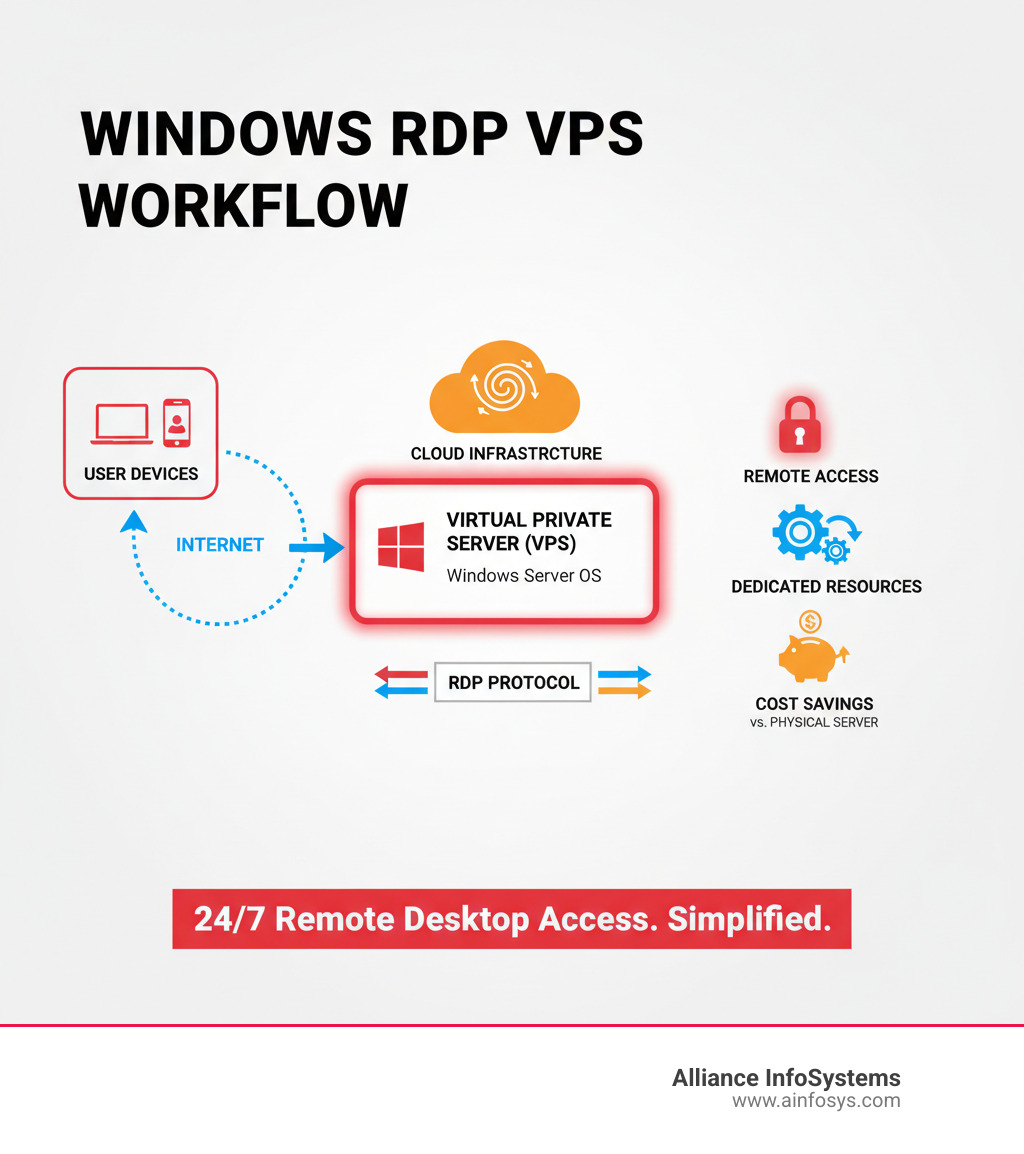
A Virtual Private Server (VPS) is your own dedicated “slice” of a powerful physical server. Thanks to virtualization, it acts as an independent computer with its own CPU, RAM, and storage, isolated from other users. For a deeper dive, see our guide on Cloud Computing vs Virtualization: What’s the Difference?.
The “RDP” stands for Microsoft’s Remote Desktop Protocol, the technology that lets you connect to and control your virtual Windows machine. You see a familiar Windows desktop, but it’s running securely in a data center.
The primary benefits are accessibility and flexibility. Your entire Windows environment—apps, files, and settings—is available on any internet-connected device. You get full administrator access to install any compatible software you need. This also brings significant cost savings by eliminating the expense and maintenance of physical servers. Learn more about how cloud solutions trim budgets in our whitepaper, 4 Surprising Ways the Cloud Reduces Costs in Your Business.
Key Benefits for Productivity and Flexibility
A cheap Windows RDP VPS is a major boost for productivity and flexibility. It enables business mobility, allowing your team to access a consistent, high-performance environment from anywhere, which is a cornerstone of modern work as highlighted in our article on Technologies That Improve Business Mobility. This seamless access improves workflow and reduces downtime. For more tips, see How to Optimize Your Productivity at Work.
As your business grows, a VPS offers impressive scalability. You can easily upgrade resources like CPU, RAM, or storage to meet demand—far more cost-effectively than buying new hardware. With dedicated resources and isolation from other users, your performance is protected from the “noisy neighbor” effect common in shared hosting, which also improves security.
Common Use Cases for an Affordable RDP VPS
The versatility of a cheap Windows RDP VPS makes it ideal for a wide range of tasks.
Here are some of the most common uses:
- Remote Work & Virtual Workstations: Provide a secure, consistent virtual desktop for employees to access company apps and files from any device.
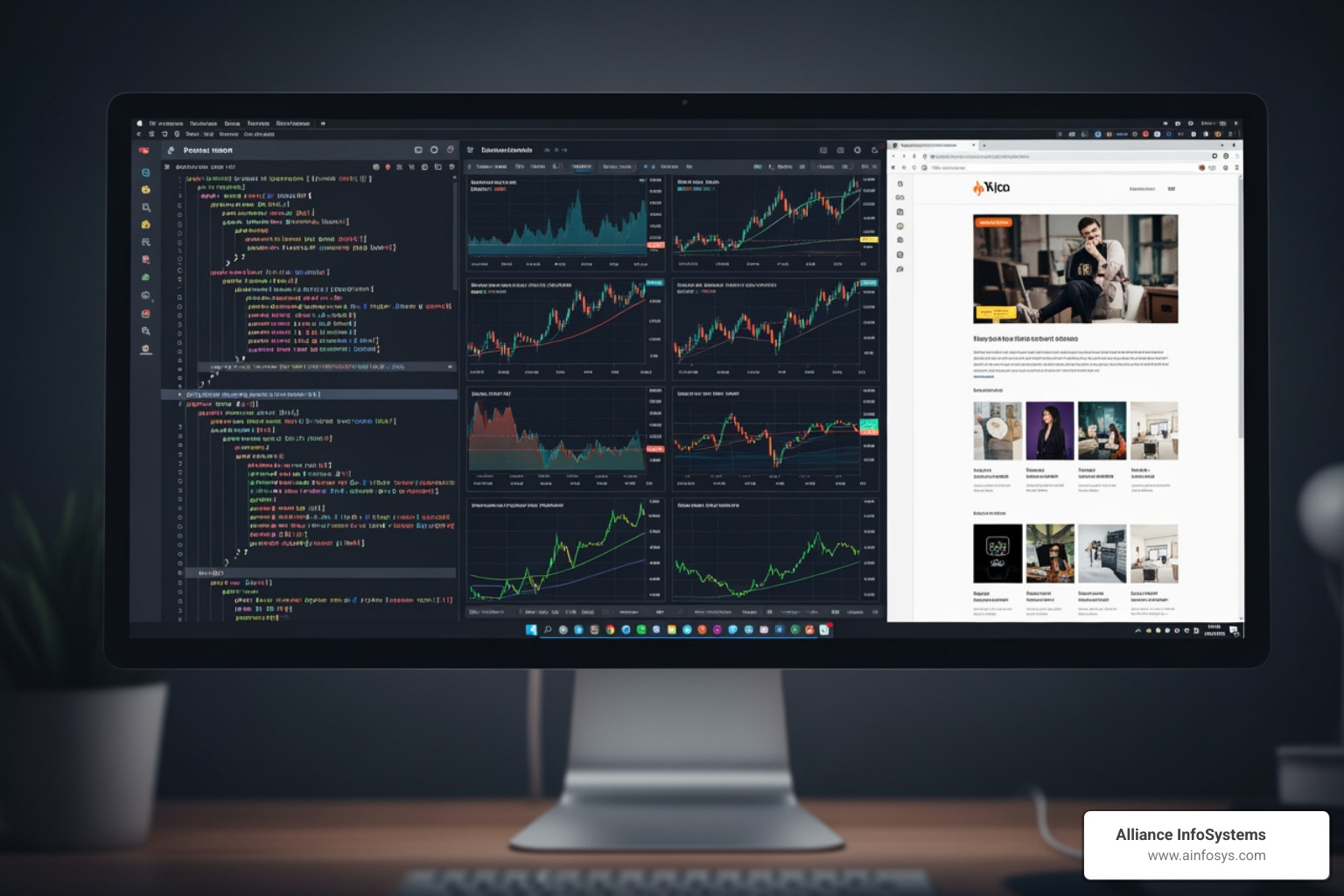
- Web Scraping & SEO Tools: Run tools like GSA SER or ScrapeBox 24/7 in a stable environment with a dedicated IP address, without tying up a local machine.
- Forex Trading (MT4/MT5): Host MetaTrader platforms and Expert Advisors (EAs) on a server with low latency and constant uptime, ensuring strategies run without interruption.
- Hosting Windows-Based Applications: Run software built with ASP.NET, .NET Core, or requiring MSSQL databases in a native environment with full administrative control.
- Development & Testing Environments: Create a clean, isolated space for building and debugging software without cluttering local machines.
- Other Tasks: A VPS is also perfect for running continuous automation scripts, database hosting (MSSQL, MySQL), or even some gaming servers.
For small businesses, these capabilities offer enterprise-level IT functionality at an affordable price, a key component of our recommendations for Managed IT Services for Small Businesses.
Key Factors for Choosing a Cheap Windows RDP VPS
Choosing a cheap Windows RDP VPS is about finding value—getting maximum performance and reliability for your budget. Think of it like buying a car: the cheapest model isn’t a good deal if it’s unreliable. The same principle applies here.

The performance versus price balance is key. Entry-level plans are cheap but may have limited resources. Understand your workload to avoid performance bottlenecks. Provider reputation is also crucial; look for established hosts with positive feedback and a 99.9% uptime guarantee (SLA). Downtime means lost productivity, so a solid SLA is non-negotiable.
Data center location affects latency, which is the delay in responsiveness. For a smooth remote desktop experience, choose a provider with data centers close to you. For businesses in our region, East Coast locations are ideal. This evaluation process is similar to what we advise in our guide on How to Choose Best Network Security Services.
Decoding Core Resources: CPU, RAM, and Storage
Understanding these specs is essential to picking the right VPS.
-
CPU (vCPU): This is the server’s brain. One or two cores are fine for basic tasks, but you’ll want at least two to four cores for multitasking or hosting applications. Modern processors like AMD Ryzen/EPYC often outperform older Intel Xeon chips, so consider the CPU generation, not just the core count.
-
RAM: Insufficient RAM is the most common cause of sluggish performance. Windows is memory-hungry. 2GB RAM is the bare minimum for very light use. 4GB RAM is a good starting point for general business use and handles tasks like running Java apps or a single MetaTrader instance. 8GB RAM supports multiple applications or more intensive software without hiccups. Plans with 16GB+ are available for demanding workloads.
-
Storage: Storage type dramatically impacts responsiveness. Avoid old HDD storage. SSD (Solid State Drive) is the standard, offering fast read/write speeds. NVMe SSD is even faster, making it ideal for databases or I/O-intensive tasks. The performance boost is often worth the slight price increase. Efficient Data Storage is a topic we regularly discuss with clients, and this choice is a prime example of performance optimization.
Entry-level cheap Windows RDP VPS plans start as low as $3.99 per month, with popular configurations (4GB RAM, 2 CPU, 60GB SSD) often available for around $4.49/month with promotions.
Network, Software, and OS Flexibility
Hardware is only part of the equation. Network and software options are just as important.
-
Bandwidth: Look for generous or “unmetered” bandwidth on a 1Gbps port. This means you won’t get surprise overage charges for typical business use. While fair use policies apply, the limits (e.g., 2-8TB/month) are usually very high.
-
Operating System: Most providers offer recent versions like Windows Server 2022, 2019, or 2016. These are built for server workloads. Some also offer Windows 10 Pro for a familiar desktop experience, which is great for personal virtual workstations. Avoid unlicensed or Home versions for business use.
-
Full Administrator Access: This is a key advantage of a VPS. You have complete control to install custom software, configure your environment, and run specialized scripts without restriction.
If your applications don’t require Windows, consider a Linux VPS, which can be even more affordable. We cover this in our Linux Cloud VPS Hosting guide.
RDP VPS vs. Other Hosting Solutions
Choosing the right hosting solution can be perplexing, especially with so many options available. When we discuss infrastructure with our clients, we often compare a cheap Windows RDP VPS against more traditional solutions like shared hosting and dedicated servers. Each has its place, but they serve very different needs.
| Feature | Windows RDP VPS | Shared Hosting | Dedicated Servers |
|---|---|---|---|
| Cost | Low to Medium (starts ~$4/month) | Very Low (starts ~$2/month) | High (starts ~$35/month for basic, hundreds for high-end) |
| Performance | Good (dedicated resources) | Limited (shared resources, “noisy neighbor”) | Excellent (full physical server resources) |
| Control | Full Administrator Access (OS, software, config) | Very Limited (pre-installed software, basic panel) | Full Root/Admin Access (hardware, OS, software) |
| Security | Isolated (virtual machine), customizable security | Shared (vulnerable to other users’ issues) | Highest (physical isolation, full control) |
| Scalability | Flexible (upgrade CPU, RAM, storage easily) | Limited (upgrade plans, but still shared) | Upgrade hardware, but more complex and costly |
| Isolation | High (your own virtual machine) | Low (shared with many other users) | Complete (your own physical machine) |
| Use Cases | Remote work, app hosting, development, trading, bots | Basic websites, blogs, personal projects | High-traffic sites, large databases, enterprise apps, heavy computing |
As you can see, a cheap Windows RDP VPS strikes a balance. It offers significantly more control, better performance, and improved security compared to shared hosting, but at a much lower cost than a dedicated server. It’s the “just right” solution for many small to medium-sized businesses that need a dedicated Windows environment without the expense or complexity of managing physical hardware. For more on the strategic choice between different cloud server options, our article Going Cloud Server: Pros and Cons provides valuable insights.
Security, Support, and Setup Essentials
Even with a cheap Windows RDP VPS, security and support should never be afterthoughts. A low price is meaningless if your data is compromised or you’re left without help when issues arise. Think of security and support as essential insurance for your remote infrastructure.
Must-Have Security Features for a cheap windows rdp vps
Your security checklist should be comprehensive:
- DDoS Protection: This is your first line of defense, filtering malicious traffic designed to knock your server offline. Reputable providers include this as a standard feature.
- Firewalls: Control traffic to your server. Good providers offer configurable firewalls to restrict access by IP, port, or protocol. For extra security, we often recommend placing RDP behind a firewall and accessing it via VPN, a practice detailed in our Network Security Management guidance.
- Secure Login Protocols: Go beyond a strong password. Look for support for multi-factor authentication (MFA) to create a substantial barrier against unauthorized access.
- Data Backup & Disaster Recovery: Regular, automatic backups are critical. Your provider should offer them, stored separately from your server. Reliable Data Backup can be the difference between a minor inconvenience and a catastrophe. Disaster recovery options like snapshots allow for quick restoration.
- Automatic Updates: Keeping Windows and other software patched is one of the most effective security measures you can take.
For a broader view on protecting your digital assets, our article on the Top 10 Cyber Security Practices offers practical advice.
Understanding the Setup Process and Expected Support
Getting started is surprisingly fast. Most providers offer instant activation, meaning your VPS is ready within minutes of payment. You’ll manage your server through a control panel for essential functions like reboots or OS reinstalls. This panel usually includes VNC access, a graphical backdoor to fix issues if you accidentally lock yourself out of RDP.
Creating and managing users is done directly within Windows. You can set up new RDP users with specific permissions as needed. For a walkthrough, tutorials on how to connect to Windows server using RDP are widely available.
Support is crucial. Look for providers offering 24/7 support via multiple channels. Live chat is great for quick questions, while a ticket system is better for complex issues. A comprehensive knowledge base is also valuable for solving common problems yourself. At Alliance InfoSystems, we’ve built our reputation on responsive IT Support, and we know how critical it is to have help when you need it.
Frequently Asked Questions about Cheap Windows RDP VPS
We’ve guided countless Maryland businesses through their first cheap Windows RDP VPS experience. Here are answers to the most common questions.
Can I install any software on a cheap windows rdp vps?
Yes, absolutely. A key benefit of a VPS is full administrator access. Unlike shared hosting, you have complete control over the operating system. This means you can install almost any software that runs on Windows, such as .NET applications, SQL Server, QuickBooks, MetaTrader for Forex trading, or custom automation scripts.
The only limits are your VPS’s resources (CPU, RAM, storage) and your responsibility to use properly licensed software that complies with your provider’s Acceptable Use Policy.
How many users can connect to one RDP VPS simultaneously?
By default, most Windows Server versions allow two concurrent RDP sessions. This is often sufficient for small teams where an administrator and one other user need access.
If you need more than two simultaneous users, you must configure the RD Session Host Role and purchase additional Remote Desktop Services (RDS) licenses from Microsoft for each user. These licenses are not typically included in budget VPS plans and will significantly increase your monthly cost. Always discuss multi-user needs with your provider beforehand. For setup guidance, you can find resources on how to connect to Windows server using RDP.
What is the difference between a Windows VPS and an RDP VPS?
There is no real difference in the underlying product. The terms are often used interchangeably.
A “Windows VPS” is a virtual private server running a Windows operating system. “RDP VPS” is marketing language that highlights how you access it: via Microsoft’s Remote Desktop Protocol (RDP). RDP is a built-in feature of Windows Server.
When a provider advertises an “RDP VPS,” they are simply signaling that the server is pre-configured and optimized for immediate remote desktop access. You are getting the same core product—a Windows virtual server.
Conclusion
Finding a cheap Windows RDP VPS doesn’t have to be a complex quest. As we’ve seen, these virtual machines offer a powerful combination of affordability, flexibility, and control, making them a go-to solution for businesses in Maryland and beyond.
From enabling remote work and hosting critical applications to running specialized tasks like Forex trading, a well-chosen RDP VPS can significantly boost your operational efficiency without straining your budget. By understanding the key factors—core resources, security features, and support quality—you are now equipped to select a hosting solution that aligns perfectly with your business goals.
At Alliance InfoSystems, we’ve spent over 20 years providing flexible, customized, and cost-efficient IT solutions. We believe that informed clients make the best decisions for their success. If you’re ready to integrate smart cloud solutions or need an expert to discuss your IT infrastructure, our team is here to help.
Don’t hesitate to reach out! Get expert help with your cloud and virtualization needs by contacting our team today. We’d love to partner with you to achieve your technology aspirations.