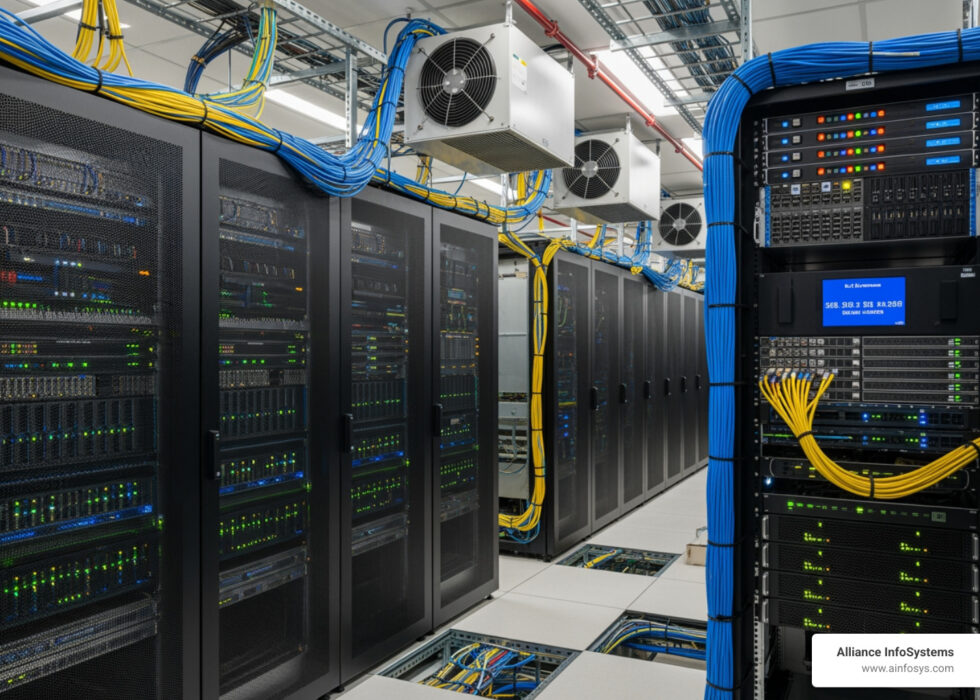
Understanding On-Premises in Today’s IT Landscape
On-premises refers to IT infrastructure hardware and software applications that are hosted on-site within your organization’s physical facilities, rather than in remote data centers or cloud environments. Here’s what you need to know:
Quick Definition:
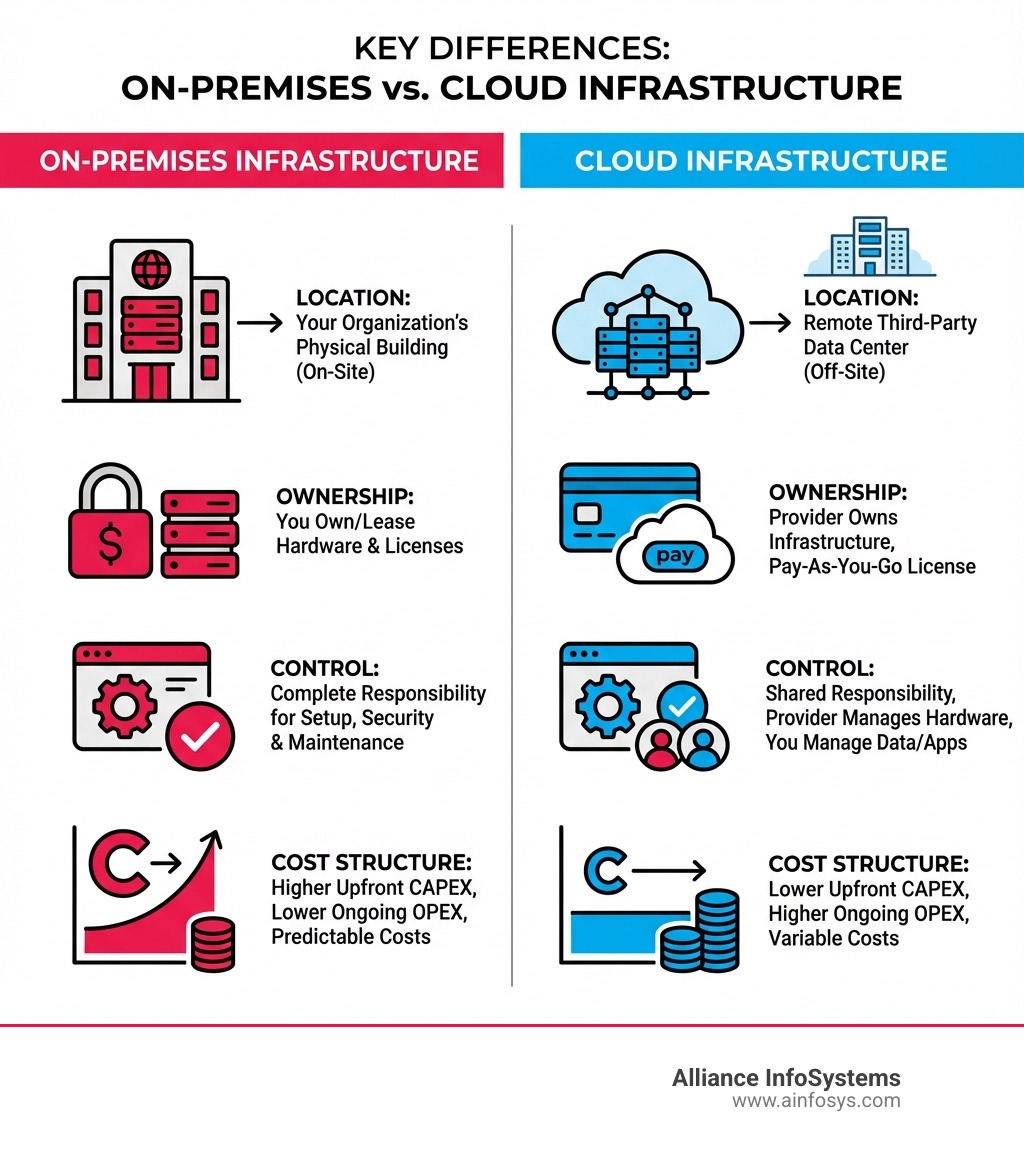
- Location: Software and hardware run on computers in your own building or data center
- Ownership: Your company owns or leases the equipment and licenses
- Control: You maintain complete responsibility for setup, security, and maintenance
- Alternative Names: Often abbreviated as “on-prem” (though “on-premise” is technically incorrect)
If you’re a small or medium-sized business owner, you’ve probably heard people talk about “moving to the cloud” or “cloud migration.” But what exactly are they moving from?
The answer is usually on-premises infrastructure.
For decades, on-premises was simply how businesses did IT. You bought servers, installed them in a closet or data center, loaded your software, and managed everything yourself. The term “on-premises” didn’t even exist until around 2010—because there was no alternative to distinguish it from.
Then cloud computing arrived and changed everything.
Today, the choice between on-premises and cloud isn’t always straightforward. According to research, approximately 70% of business customers were planning transitions from on-premises to cloud-based software by 2020. Yet many organizations—especially in regulated industries like finance, healthcare, and government—still rely heavily on on-premises systems.
Why? Because on-premises offers something cloud computing can’t always match: complete control over your data, security, and infrastructure.
In this guide, we’ll break down exactly what on-premises means, how it compares to cloud solutions, and when it makes sense for your business. Whether you’re evaluating your current setup or planning your IT strategy, you’ll walk away with a clear understanding of this fundamental IT concept.
What is On-Premises? A Foundational Definition
At its core, on-premises (often shortened to “on-prem”) describes a model where your computing infrastructure – including hardware, software, and data – is physically located and managed within your organization’s own facilities. Think of it as having your entire IT ecosystem right there, under your roof.

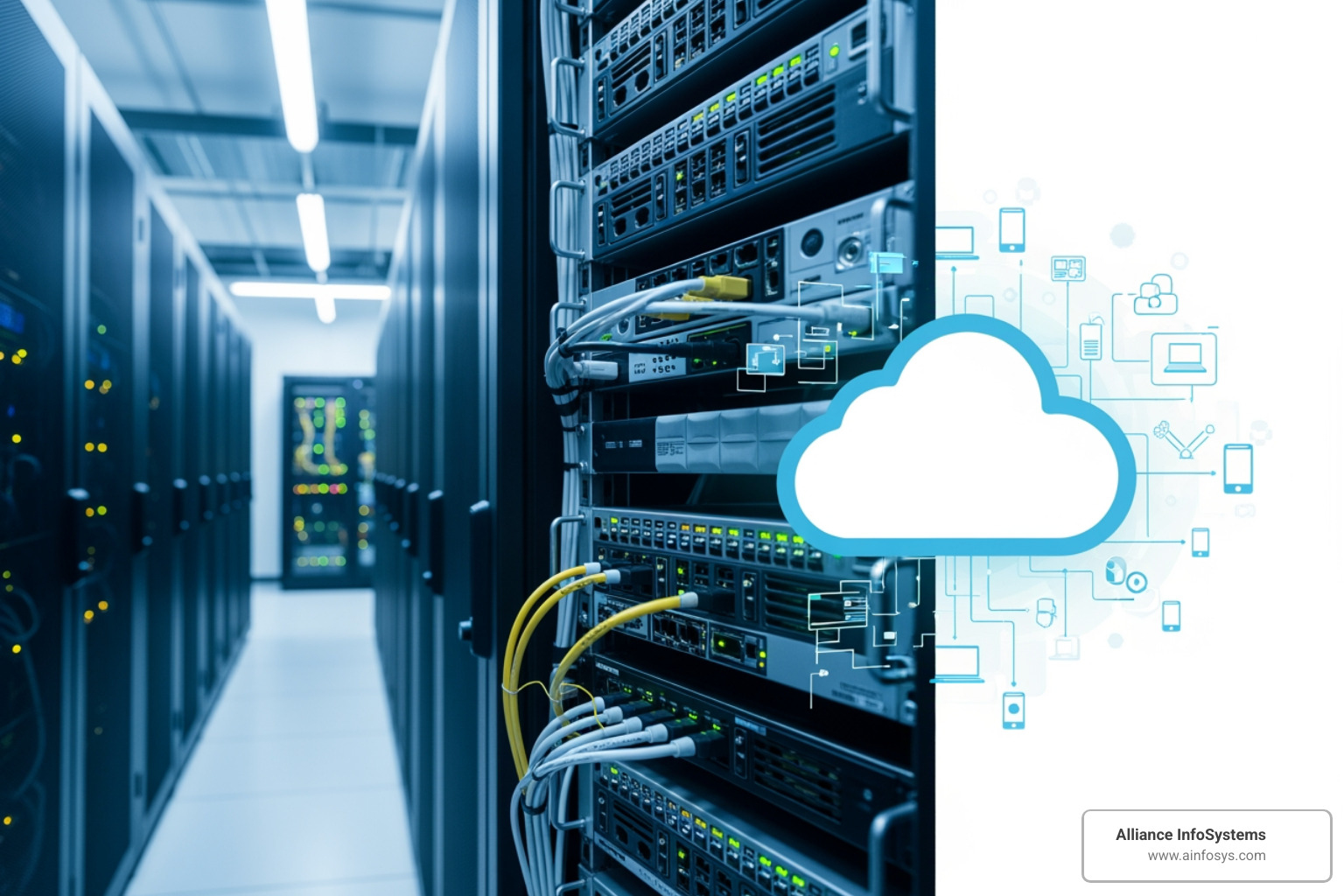
This means that we, as the business, are responsible for every aspect of our IT environment. From the servers humming in a dedicated room to the networking equipment connecting our devices, and the software applications running on them, everything is owned, operated, and maintained by us or our designated IT team. This contrasts sharply with cloud-based solutions, where a third-party provider hosts and manages much of this infrastructure remotely.
Historically, this was the only way to deploy software and manage IT. Before the rise of cloud computing, there wasn’t a need for a specific term like on-premises because local installation and management were the default. As noted by easy software, the term itself emerged after 2010 to differentiate this traditional approach from the increasingly popular Software-as-a-Service (SaaS) and other cloud models.
When we opt for on-premises software, we typically purchase a license, granting us ownership of that software. This is a one-time capital expenditure (CapEx) rather than an ongoing subscription. We then install and run this software on our own servers or end-user devices. This model places complete responsibility for infrastructure, daily operations, maintenance, backup, and data storage squarely on our shoulders. It’s a hands-on approach that ensures we have full control over our IT assets, their performance, security, and physical location.
As Webopedia defines it, on-premises refers to computing infrastructure that is physically located and operated within an organization’s own facilities, data centers, or physical locations rather than hosted in external cloud environments. This complete ownership and responsibility extend to all hardware, software, networking, storage, and security components. It’s about self-hosting, self-managing, and maintaining autonomy over our digital assets.
On-Premises vs. Cloud: A Head-to-Head Comparison
When it comes to deploying IT infrastructure and software, the choice between on-premises and cloud solutions is one of the most critical decisions businesses face today. Let’s explore a head-to-head comparison across several key factors.
Deployment Models
- On-Premises: This traditional model involves installing and running applications on servers located physically within our own data center or office. We own and manage all the hardware and software. Examples of past on-premises platforms include Microsoft SharePoint 2010, which many corporations used for internal collaboration.
- Cloud-Based Solutions: This encompasses various models like Software as a Service (SaaS), Platform as a Service (PaaS), and Infrastructure as a Service (IaaS). Here, applications and data are hosted by a third-party provider and accessed over the internet. Services like Microsoft Azure and Salesforce are prime examples of cloud-based offerings.
Cost Structures
- On-Premises: This typically involves high initial capital expenditures (CapEx). We purchase servers, networking equipment, storage, and software licenses upfront. While there are no routine subscription fees, there are significant ongoing operational costs (OpEx) for power, cooling, physical security, maintenance, and IT staff.
- Cloud-Based Solutions: Generally, cloud solutions have lower initial costs, often operating on a pay-as-you-go or subscription model (OpEx). We pay for the resources we consume, eliminating large upfront hardware investments. However, total costs can become unpredictable and potentially higher for stable, long-running workloads if not managed carefully.
Control Levels
- On-Premises: We retain complete control over our entire infrastructure. This includes hardware specifications, network configurations, data storage, security protocols, and software customization. This level of control is a major draw for many organizations.
- Cloud-Based Solutions: Control is shared with the cloud provider. While we manage our applications and data, the provider manages the underlying infrastructure. This means less direct control over hardware and network settings.
Maintenance Responsibilities
- On-Premises: We are fully responsible for all aspects of maintenance, including hardware repairs, software updates, patching, backups, and disaster recovery. This requires a dedicated and skilled in-house IT team.
- Cloud-Based Solutions: The cloud provider handles much of the infrastructure maintenance, updates, and backups. This can significantly reduce our IT team’s operational burden, allowing them to focus on strategic initiatives.
Scalability Differences
- On-Premises: Scaling up typically involves purchasing and installing new hardware, which can be a time-consuming and expensive process. Scaling down can also be challenging, leading to underused resources. This makes on-premises less flexible for rapidly fluctuating workloads.
- Cloud-Based Solutions: Cloud environments offer immense scalability. We can quickly provision or de-provision resources (compute, storage, networking) as needed, often within minutes. This elasticity is a major advantage for businesses with variable demands.
Security Models
- On-Premises: We are entirely responsible for implementing and managing our security measures, from physical access to our data center to network security, data encryption, and access controls. This can lead to a very secure environment if properly implemented.
- Cloud-Based Solutions: Cloud providers invest heavily in security, often employing advanced technologies and dedicated security teams. They typically offer robust security features, but we are still responsible for securing our data within the cloud environment (e.g., configuring access controls, encrypting data). The perception of security in the cloud versus on-premises is arguable, with some experts suggesting cloud providers have more resources, while others note cloud vendors are more exposed to cyberattacks.
Customization
- On-Premises: Offers maximum flexibility for customization. We can tailor hardware, software, and network configurations to meet our exact, unique business requirements. This is particularly valuable for specialized applications or unique workflows.
- Cloud-Based Solutions: While cloud services offer configuration options, they are generally standardized. Deep customization of the underlying infrastructure is typically not possible, which might be a limitation for highly specific needs.
Here’s a quick overview of the comparison:
| Feature | On-Premises | Cloud-Based Solutions (SaaS, Public Cloud) |
|---|---|---|
| Location | Within our physical facilities | Hosted by a third-party provider, accessed via internet |
| Ownership | We own or lease hardware and software licenses | Third-party owns and manages infrastructure; we subscribe to services |
| Cost Structure | High CapEx (upfront hardware, licenses), OpEx for maintenance | Primarily OpEx (subscription, pay-as-you-go), lower initial cost |
| Control | Complete control over all layers | Shared control; provider manages infrastructure, we manage applications/data |
| Maintenance | Our responsibility (hardware, software, backups) | Provider’s responsibility for infrastructure; we manage applications |
| Scalability | Manual, time-consuming, expensive | On-demand, rapid, flexible |
| Security | Our responsibility entirely | Shared responsibility; provider secures infrastructure, we secure our data |
| Customization | High degree of customization possible | Limited to configuration options provided by the vendor |
The decision hinges on our business’s specific needs, budget, regulatory requirements, and our appetite for IT management.
The Pros and Cons of an On-Premises Strategy
Choosing an on-premises strategy is a significant decision that impacts our financial outlay, operational responsibilities, and overall strategic flexibility. While the IT industry has seen an increasing trend toward cloud-based software, with 70% of businesses planning transitions by 2020, it’s worth noting that in 2016, most corporations still maintained their traditional information management systems through on-premises software. This highlights that on-premises solutions still offer compelling advantages for many organizations.
Key Advantages of On-Premises Solutions
When we choose an on-premises model, we open up several powerful benefits:
- Complete Control: This is perhaps the most significant advantage. With on-premises, we have absolute control over our entire IT environment. From the physical hardware to the operating systems and applications, every component is under our direct management. This level of autonomy is crucial for organizations that need to dictate every aspect of their infrastructure.
- Data Security and Sovereignty: Keeping data within our own physical premises means we know exactly where it resides. This provides peace of mind and allows us to implement our own stringent security measures, from physical access controls to advanced encryption. For businesses handling highly sensitive information, this direct control over data location and security is invaluable. It helps us maintain data sovereignty, ensuring our data is subject only to local laws and regulations.
- Compliance Adherence: Many industries, especially in Maryland and across the US, face strict regulatory compliance requirements (e.g., HIPAA for healthcare, PCI DSS for financial services). On-premises deployments often make it easier to meet these specific mandates, as we can demonstrate direct control over data handling, storage, and access. This is particularly true for single-tenancy requirements where data cannot be shared on multi-tenant cloud servers.
- Customization Flexibility: On-premises allows for unparalleled customization. We can tailor our hardware, software, and network configurations to perfectly match our unique business processes and application demands. This is ideal for specialized workloads or proprietary applications that may not fit well into standardized cloud environments.
- Predictable Performance and Low Latency: Because our infrastructure is local, we can optimize it for predictable performance and achieve very low latency. This is critical for applications that require immediate response times, such as high-frequency trading platforms or real-time manufacturing control systems. Direct control over hardware and network settings ensures consistent speed and reliability.
- Offline Accessibility: In scenarios where internet connectivity might be unreliable or unavailable, on-premises systems can continue to operate without interruption, ensuring business continuity.
Major Challenges of On-Premises Deployments
Despite the compelling advantages, on-premises solutions come with their own set of challenges that we need to be prepared for:
- High Upfront Costs: The initial investment can be substantial. We are responsible for purchasing all hardware (servers, storage, networking equipment), software licenses, and setting up the physical infrastructure (data center space, cooling, power). This capital expenditure can be a significant barrier for many businesses.
- Ongoing Maintenance and Operational Burden: Owning the infrastructure means owning the responsibility for its upkeep. This includes regular maintenance, software updates, patching, troubleshooting, and physical security. These tasks require dedicated resources, time, and budget.
- Need for In-House IT Expertise: Managing an on-premises environment demands a skilled and experienced IT team. We need personnel with expertise in server administration, networking, cybersecurity, and data management. Finding and retaining such talent can be challenging and costly in our local market.
- Scalability Challenges: While we can scale on-premises infrastructure, it’s not as agile as cloud scaling. Expanding capacity involves purchasing, installing, and configuring new hardware, which takes time and money. This can lead to either overprovisioning (wasting resources) or underprovisioning (hindering growth) if our needs fluctuate unexpectedly.
- Disaster Recovery Complexity: Implementing a robust disaster recovery (DR) plan for an on-premises environment can be complex and expensive. It often requires redundant hardware, off-site backups, and a detailed recovery strategy, all of which we are responsible for managing.
- Longer Deployment Times: Setting up new on-premises infrastructure or deploying new applications can take considerable time due to procurement, installation, and configuration processes. This can slow down our business’s agility and time-to-market for new initiatives.
The shift to cloud computing is largely driven by businesses seeking to offload some of these operational burdens and costs, reflecting the significant business model impact of cloud computing. However, for organizations where control, security, and compliance are paramount, the advantages of on-premises often outweigh these challenges. It truly depends on our specific strategic priorities.
When to Choose On-Premises: Use Cases and The Hybrid Approach
Deciding whether to go on-premises or accept the cloud isn’t a one-size-fits-all answer. It’s a strategic choice that should align with our business strategy, workload analysis, and data sensitivity. While cloud adoption is on the rise, certain scenarios still make on-premises the preferred, or even necessary, choice.
Ideal Scenarios for On-Premises Infrastructure
We find that on-premises solutions are particularly well-suited for businesses in Maryland and beyond that fit specific profiles:
- Highly Regulated Industries: For sectors like finance, healthcare, and government, strict data privacy laws and compliance mandates often necessitate direct physical control over data. We’ve seen this in our work, where organizations need to ensure their data never leaves their physical premises or a highly controlled private data center to meet regulations like HIPAA or specific government security clearances.
- Sensitive Data Processing: If our business handles extremely sensitive or proprietary data, such as trade secrets, classified information, or critical customer records, keeping it on-premises provides the highest level of control and isolation from external threats. This allows us to implement highly customized security protocols and limit access strictly.
- Legacy Applications: Many businesses rely on older, custom-built applications that are not easily migratable to cloud environments. These legacy systems, often critical to core operations, are best maintained on-premises where they can continue to run reliably on existing infrastructure. Attempting to modernize or refactor them for the cloud can be prohibitively expensive and disruptive.
- High-Performance Computing (HPC): For workloads requiring immense computational power and low latency, such as scientific simulations, complex engineering designs, or advanced analytics, on-premises infrastructure can be optimized for peak performance. We can build purpose-built systems with customizable hardware that cloud providers might not offer, ensuring maximum efficiency and speed.
- Low-Latency Manufacturing and Industrial Control Systems: In manufacturing, utilities, or other industrial settings, real-time control and ultra-low latency are paramount. Operating systems and applications for machinery or critical infrastructure must respond instantly. Keeping these systems on-premises eliminates potential network delays associated with cloud connectivity.
- Data Sovereignty Laws: For businesses operating in regions with stringent data residency or sovereignty laws, storing data on-premises ensures compliance by keeping all information within the specified geographic boundaries under our direct control.
Here are some industries that often prefer on-premises solutions due to these factors:
- Finance
- Healthcare
- Government
- Scientific Research
The Rise of Hybrid Cloud: Bridging the Gap
While on-premises holds strong for specific needs, the overarching trend is towards cloud adoption. However, a significant development in recent years has been the rise of hybrid cloud solutions. This approach isn’t about choosing one or the other; it’s about getting the best of both worlds.
A hybrid cloud strategy integrates our on-premises infrastructure with public or private cloud services. This allows us to run some workloads and applications on-premises while leveraging the cloud for others. For instance, we might keep sensitive customer data on-premises for compliance, but use a public cloud for development and testing, or for burstable workloads that require temporary, scalable resources (a concept known as “cloud bursting”).
The advantages of a hybrid cloud model are compelling:
- Workload Flexibility: We can strategically place different applications and data in the environment that best suits their needs – whether that’s the control of on-premises or the scalability of the cloud.
- Improved Security: By keeping our most sensitive data on-premises, we maintain direct control over its security, while still benefiting from the robust security features offered by cloud providers for less critical data.
- Scalability on Demand: We can use our on-premises infrastructure for stable, predictable workloads and then “burst” into the public cloud to handle sudden spikes in demand without investing in excess hardware.
- Business Continuity and Disaster Recovery Solutions: Hybrid cloud improves our disaster recovery capabilities. We can replicate on-premises data to the cloud, providing an off-site backup and a recovery environment that is more resilient and cost-effective than building a second physical data center.
- Cost Optimization: By intelligently distributing workloads, we can optimize costs, leveraging the CapEx efficiency of on-premises for stable loads and the OpEx flexibility of the cloud for variable ones.
Essentially, hybrid cloud offers a pragmatic solution, allowing us to maintain the benefits of on-premises where it matters most, while simultaneously using the agility and scalability of cloud computing. It’s a strategy that acknowledges the strengths of both models and creates a powerful, integrated IT environment.
Frequently Asked Questions about On-Premises
We often encounter common questions about on-premises solutions. Let’s clear up some of the most frequent ones.
What is the difference between “on-premise” and “on-premises”?
This is a classic one, and it’s all about grammar! Technically, “on-premises” (with an ‘s’ at the end) is the grammatically correct term when referring to a location or a physical site. Think of “premises” as a plural noun that refers to a building and the land it stands on. For example, “No smoking on premises.”
“On-premise” (without the ‘s’) is a common, but technically incorrect, variation that has gained widespread usage, especially in casual IT conversations. While many people use “on-premise” interchangeably, we prefer and recommend “on-premises” for formal and accurate communication. It’s a small detail, but it shows attention to precision!
Is on-premises inherently more secure than the cloud?
This is a nuanced question, and the answer isn’t a simple yes or no. On-premises solutions offer us more physical control over our infrastructure and data. This means we can implement our own physical security measures, network segmentation, and access controls exactly as we see fit. For organizations with specific, stringent security requirements or highly sensitive data, this direct control can be a significant advantage. It allows us to build a security perimeter custom to our unique risks.
However, “more secure” ultimately depends on the implementation. A poorly secured on-premises environment can be far less secure than a well-managed cloud environment. Cloud providers, like those behind major public clouds, invest billions in security infrastructure, employ vast teams of security experts, and undergo rigorous certifications. They often have resources dedicated to cybersecurity that can far surpass what a single company can manage on its own.
Therefore, while on-premises gives us the potential for ultimate control over security, the cloud often provides a higher baseline of security due to economies of scale and specialized expertise. The key is how well either environment is managed and maintained.
Is on-premises cheaper than the cloud in the long run?
Again, the answer is “it depends,” and it’s a common point of contention!
On-premises solutions typically involve high upfront capital expenditures (CapEx) for purchasing hardware, software licenses, and setting up physical data center infrastructure. Once these initial investments are made, the ongoing costs are primarily operational (OpEx) for power, cooling, maintenance, and IT staff. For stable, predictable workloads with consistent resource requirements, on-premises can, in fact, result in a lower Total Cost of Ownership (TCO) over a long period, as we eventually “pay off” the initial investment.
Conversely, cloud solutions generally have lower initial costs, operating on an OpEx model where we pay for what we use (pay-as-you-go or subscription). This makes the cloud very attractive for startups or businesses with variable or rapidly fluctuating workloads, as we avoid large upfront investments and can scale resources up or down as needed. However, these ongoing operational costs can accumulate and become quite expensive over time, especially if cloud resources are not efficiently managed or if workloads are consistently high.
So, for a predictable, long-term, stable workload, on-premises might be cheaper in the long run. For variable, burstable, or short-term workloads, the cloud is generally more cost-effective. A thorough cost analysis, considering both upfront and ongoing expenses over several years, is essential for our business to make the right financial decision.
Conclusion: Making the Right Choice for Your Business
The journey through on-premises infrastructure reveals a landscape rich with control, customization, and specific advantages, even in an increasingly cloud-centric era. We’ve explored its foundational definition, contrasted it with cloud solutions, and weighed its distinct pros and cons. The decision between an on-premises strategy, a cloud-first approach, or a hybrid model boils down to finding the strategic fit for our business.
When evaluating our options, we must consider several key decision factors:
- Cost Analysis: Beyond the initial capital expenditure versus operational expenditure, we need a comprehensive total cost of ownership (TCO) analysis. This means factoring in hardware refresh cycles, software licensing models, energy consumption, physical security, and the cost of our internal IT staff.
- Security Posture and Compliance Needs: Our industry’s regulatory landscape and the sensitivity of our data are paramount. If data sovereignty and strict compliance are non-negotiable, on-premises or a private cloud component within a hybrid model might be our best bet.
- Scalability Needs: Do our workloads fluctuate wildly, or are they relatively stable? If agility and rapid scaling are critical for our growth, the elasticity of the cloud offers unparalleled benefits. For predictable, consistent performance, on-premises can deliver.
- IT Team Expertise: Do we have the internal talent and resources to manage and maintain a complex on-premises environment, including its security and disaster recovery? Or would we benefit from offloading much of that responsibility to a cloud provider?
- Business Agility and Innovation: How quickly do we need to deploy new applications or adapt to market changes? Cloud solutions often provide greater speed and flexibility for innovation.
The statistics show a clear trend towards cloud adoption, but they also underscore that many businesses, particularly those with specific needs, continue to thrive with on-premises systems. The emergence of hybrid cloud solutions further highlights that the future isn’t necessarily one or the other, but often a thoughtful integration of both.
At Alliance InfoSystems, we understand that navigating these choices can be complex. As a Maryland-based IT services company with over 20 years of experience, our USP is offering flexible, customized, and cost-efficient services designed to help businesses like ours make informed decisions. We work with you to analyze your unique requirements, ensuring your IT infrastructure is not just functional, but a strategic asset that supports your growth and future-proofs your operations. Whether you lean towards on-premises, cloud, or a hybrid approach, we’re here to provide the expertise and support needed to build an IT strategy that truly works for you.